How to Check Active Plan, Payment History, and Add-ons
You can easily check your current plan, view your payment history, and add or remove add-ons to your account by following these steps:
- Go to Quick Hub.
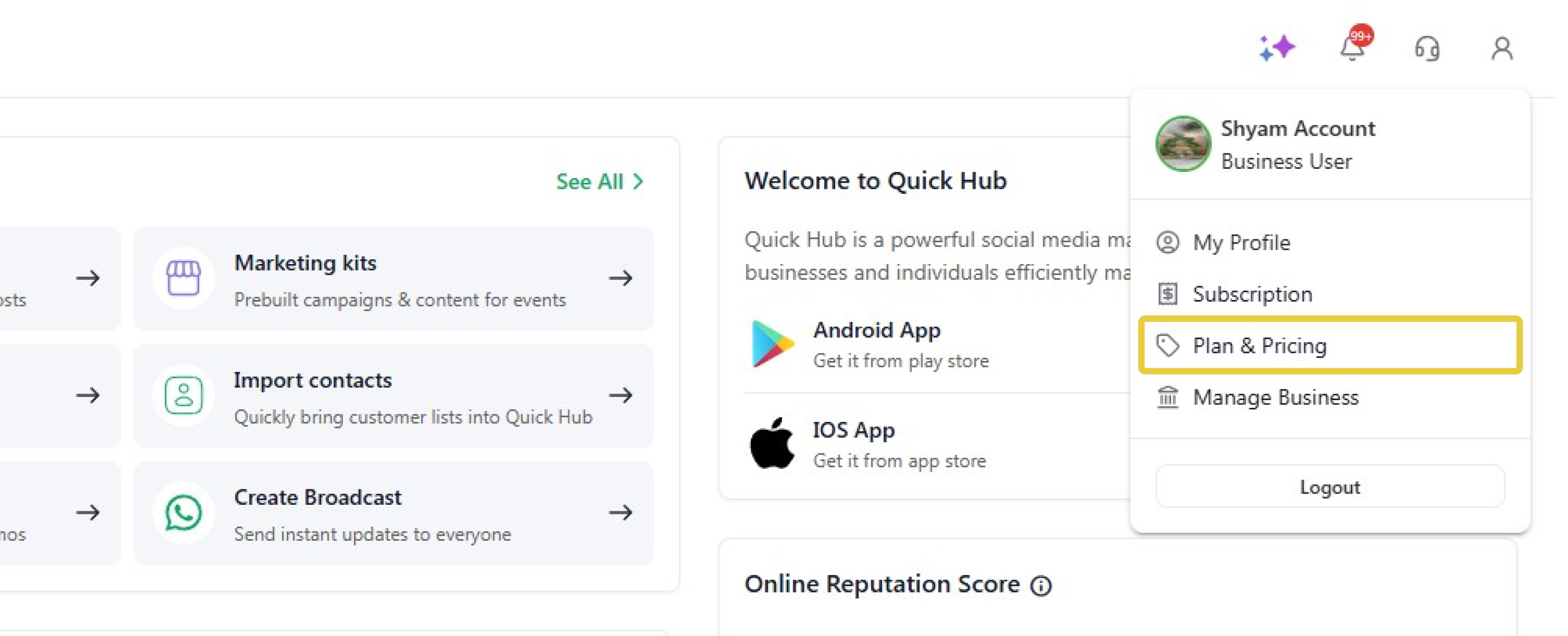
- Click your profile in the top right corner.
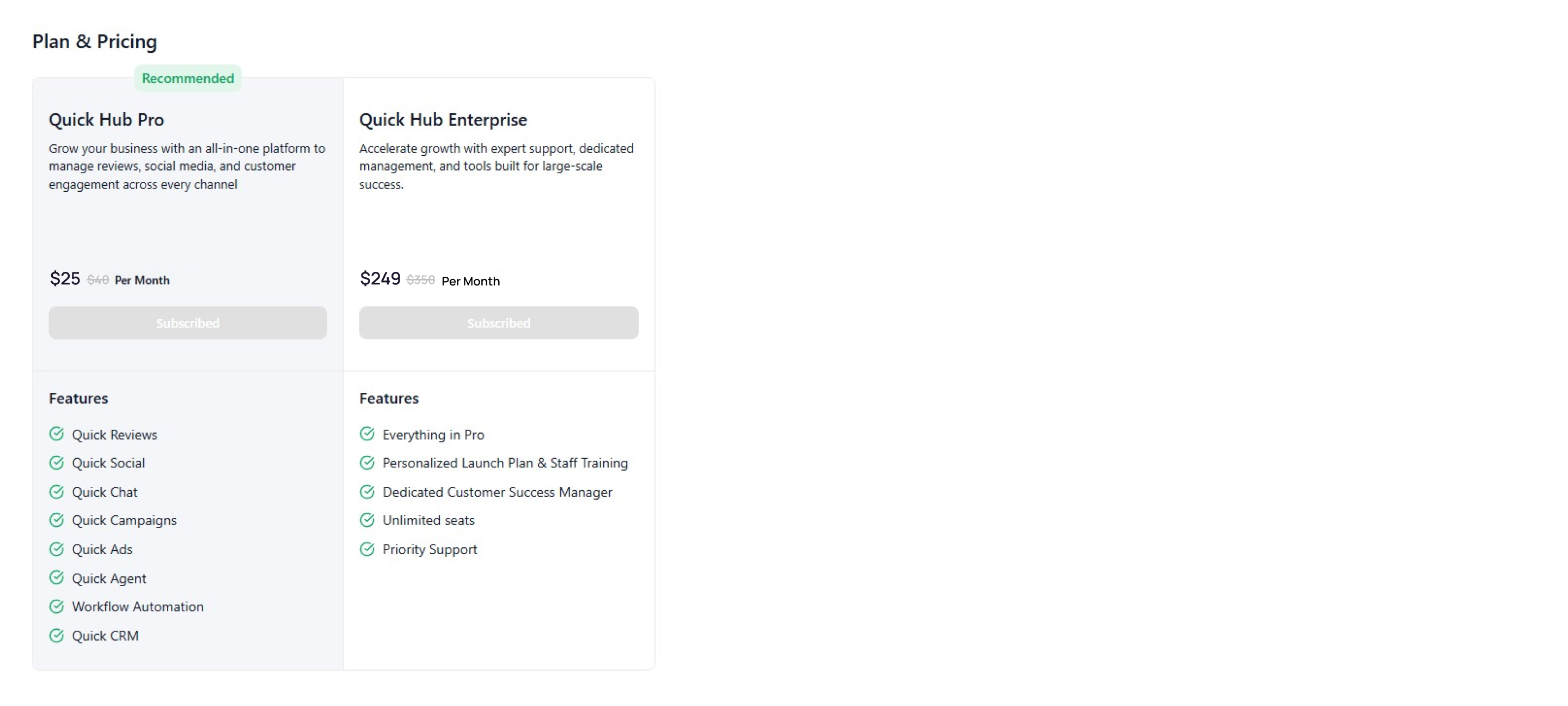
- Click Plan & pricing to view the special offers and products offered by Quick Hub.
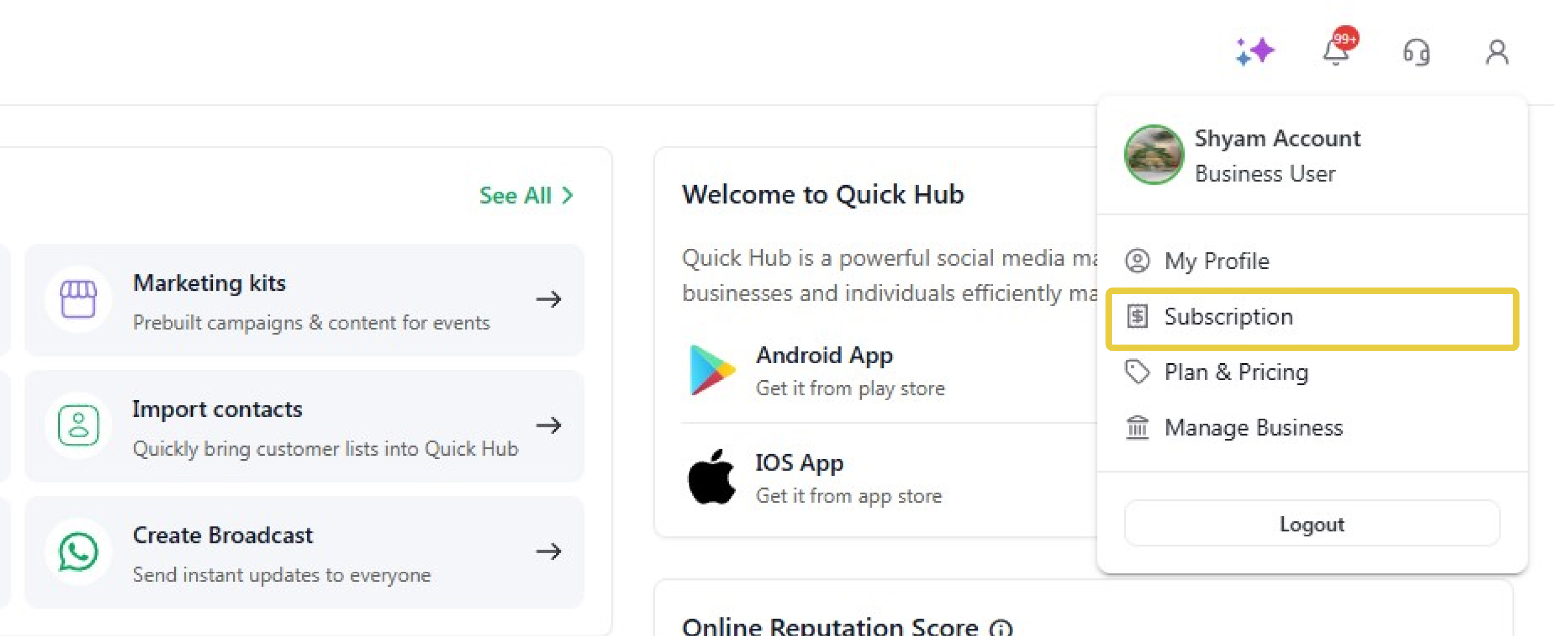
- To view your subscriptions, click Subscription.
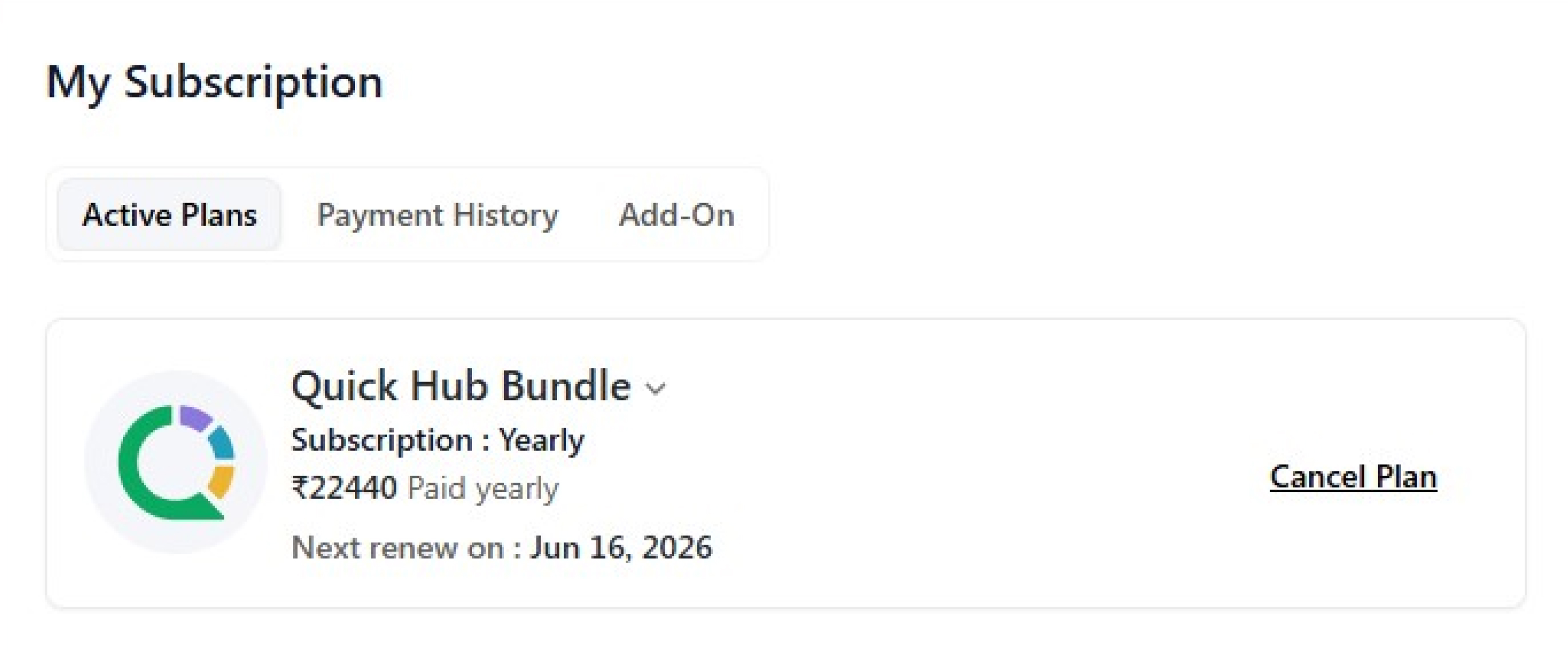
- Under the Active Plan section, you will be able to view your current plan.
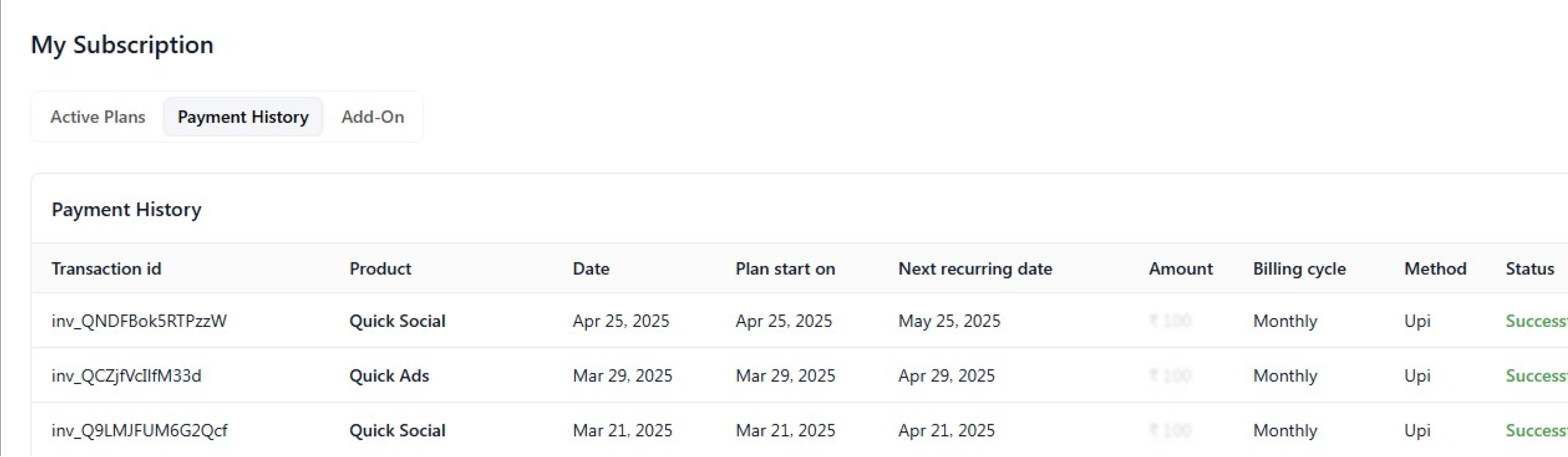
- The 'Payment History' tab gives you a complete overview of all payments made for a product.
- Here, you will be able to see the transaction ID, product name, date, plan start date, next recurring date, amount, billing cycle, method, status, autopay, and invoice.
- The 'Manage Cards' option gives you the details of all the cards you have used for payment on your account. To add a new card, click 'Add New Card'. To make a card your default payment option, click 'Default'.
- The Add-on tab displays the available add-ons: email, WhatsApp, and auto-generated reviews.
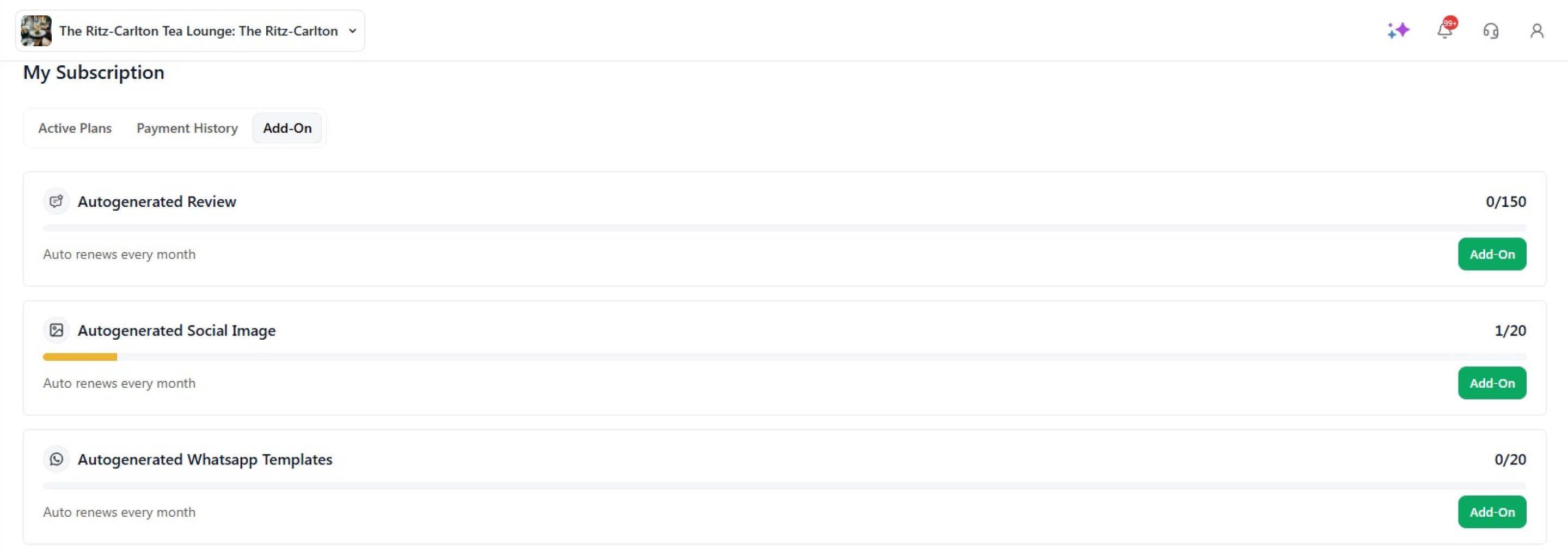
- To add an add-on, click Add-on.
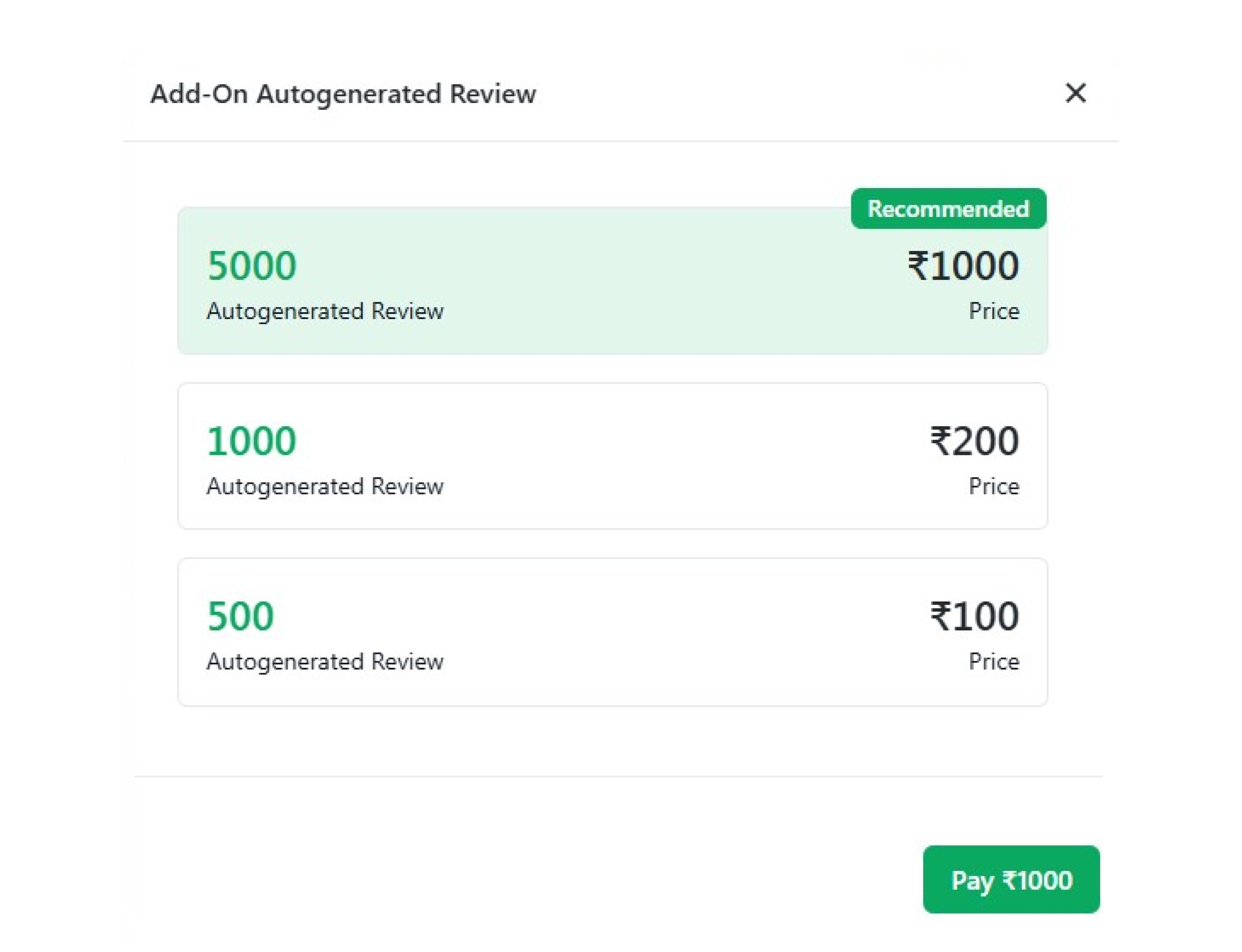
- Click the add-on you want to add, then click Pay.
- Select the payment method, and click Pay Now.