How to Connect TrustPilot to Your Quick Hub
Let’s connect your Trustpilot account to your Quick Hub account. Follow the steps below:
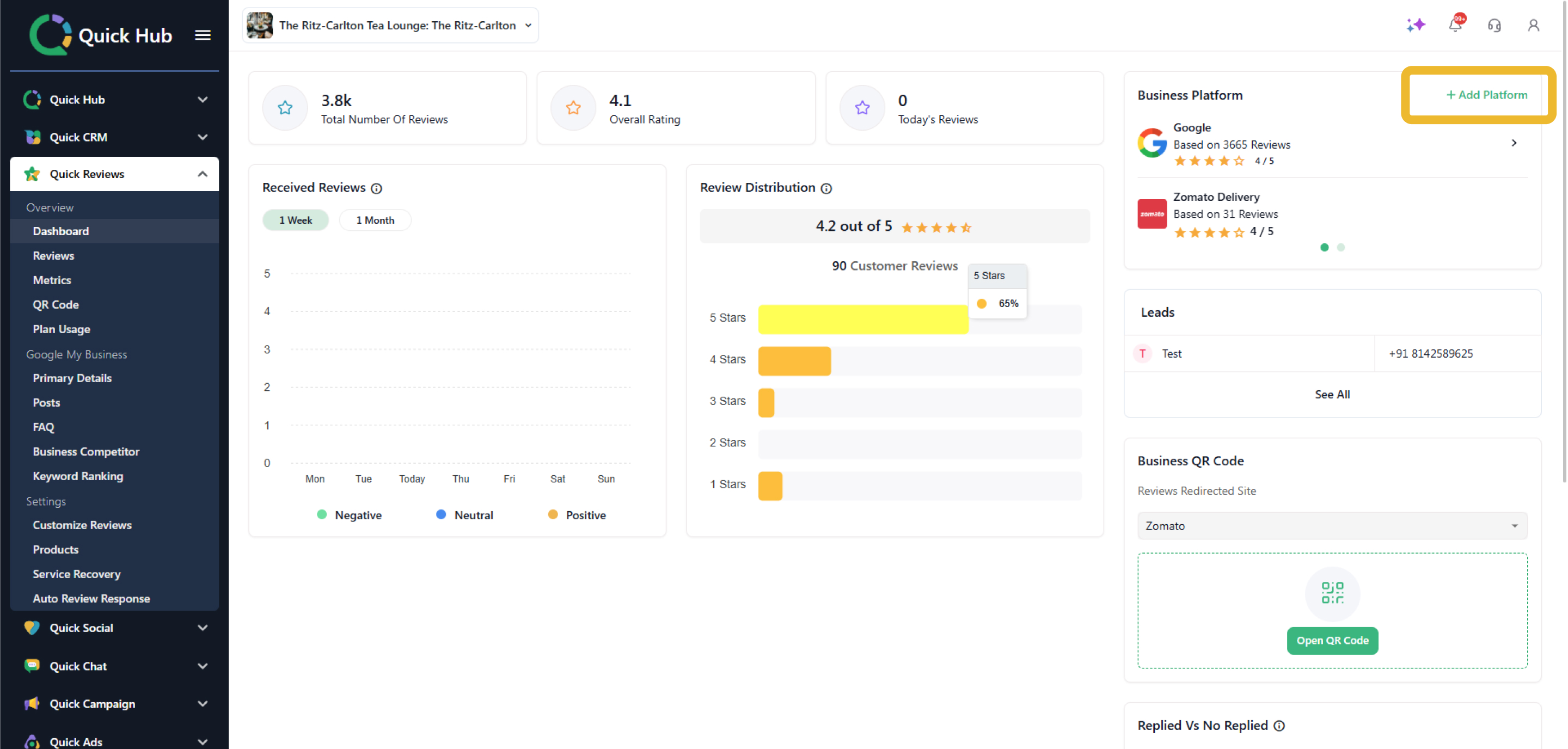
- Click Add Platform in the top right corner beside Business platform.
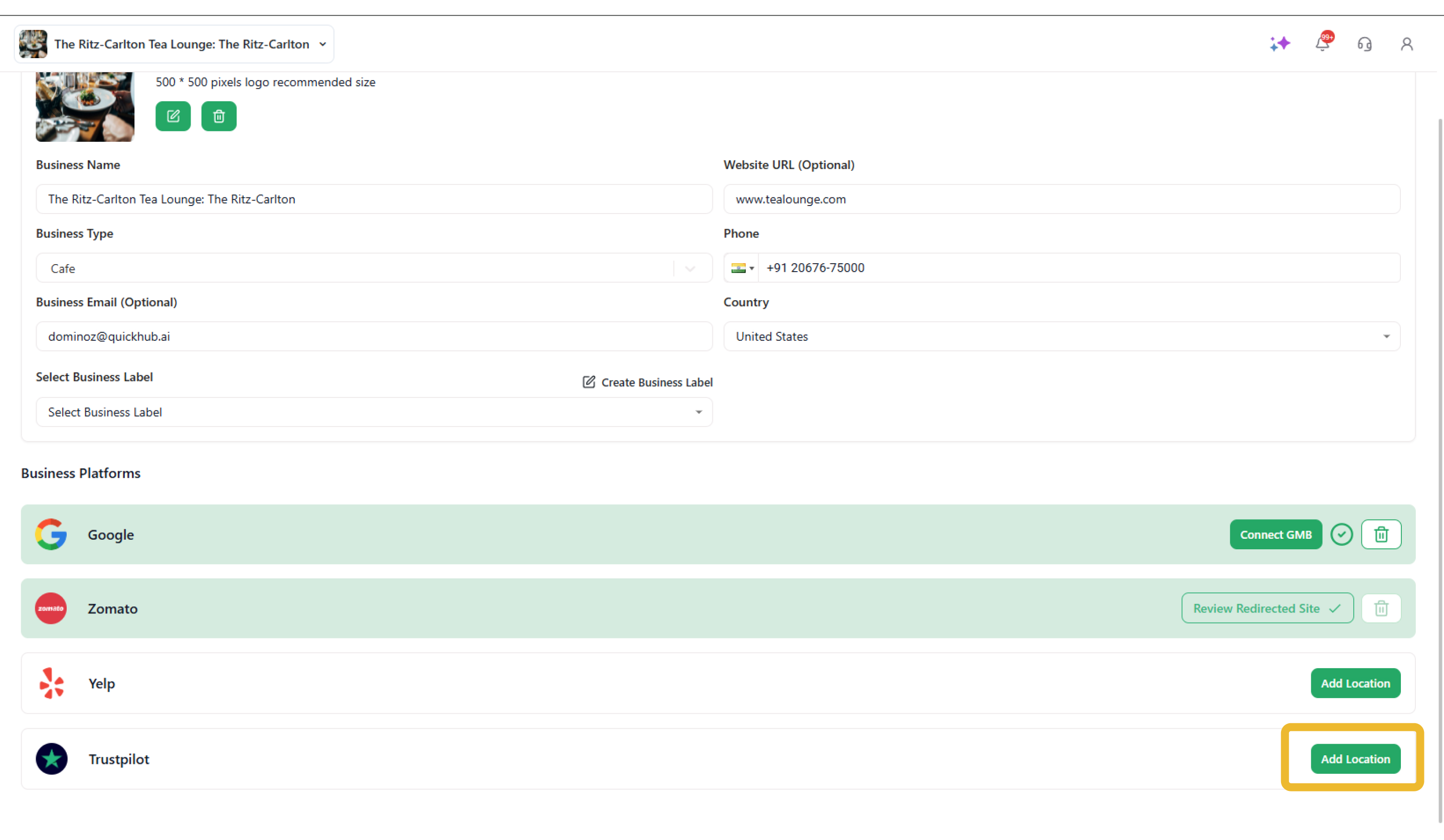
- You will see an option to Add Location for Google, Yelp, and TrustPilot.
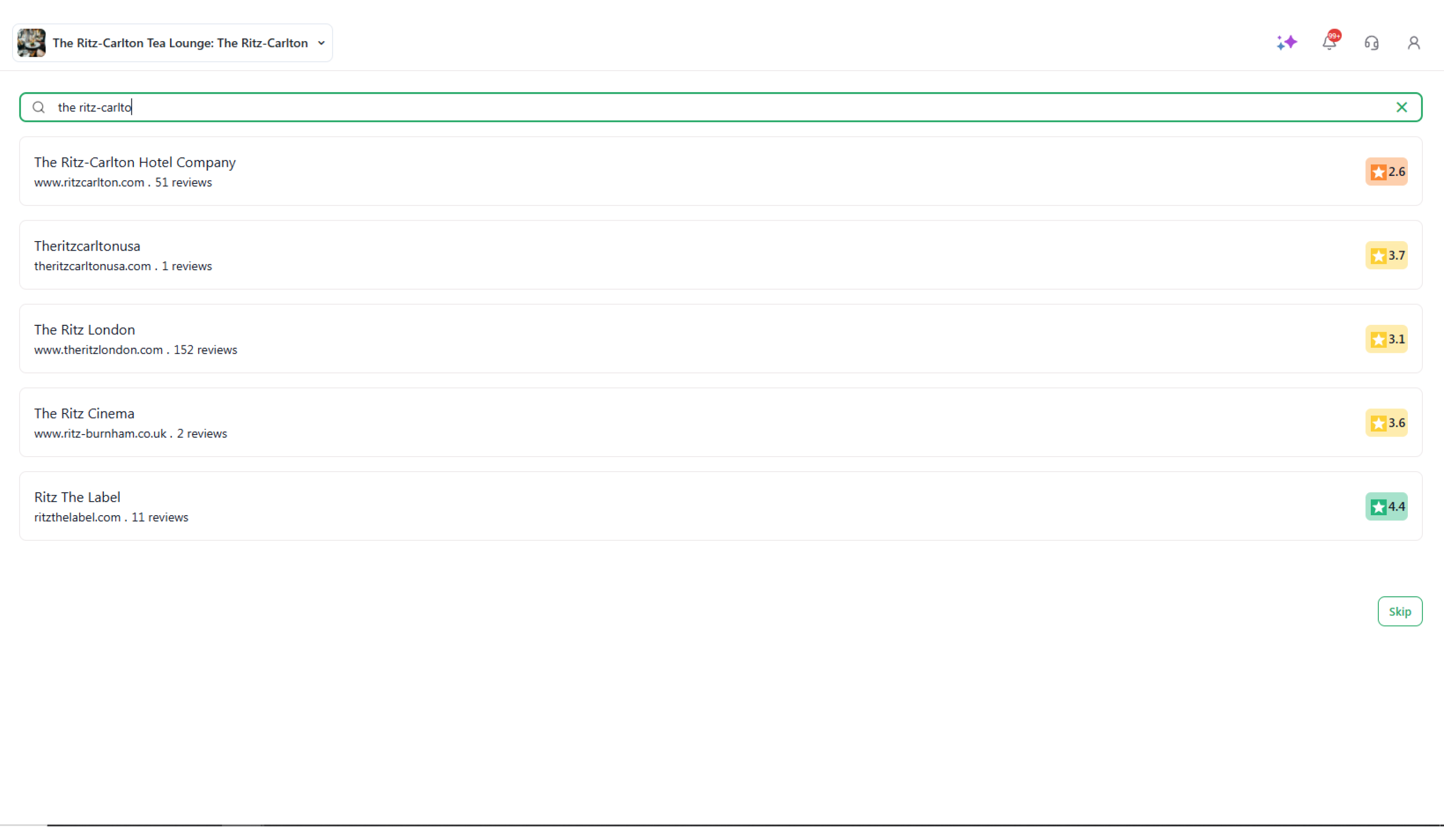
- Search for your business, then click Search.
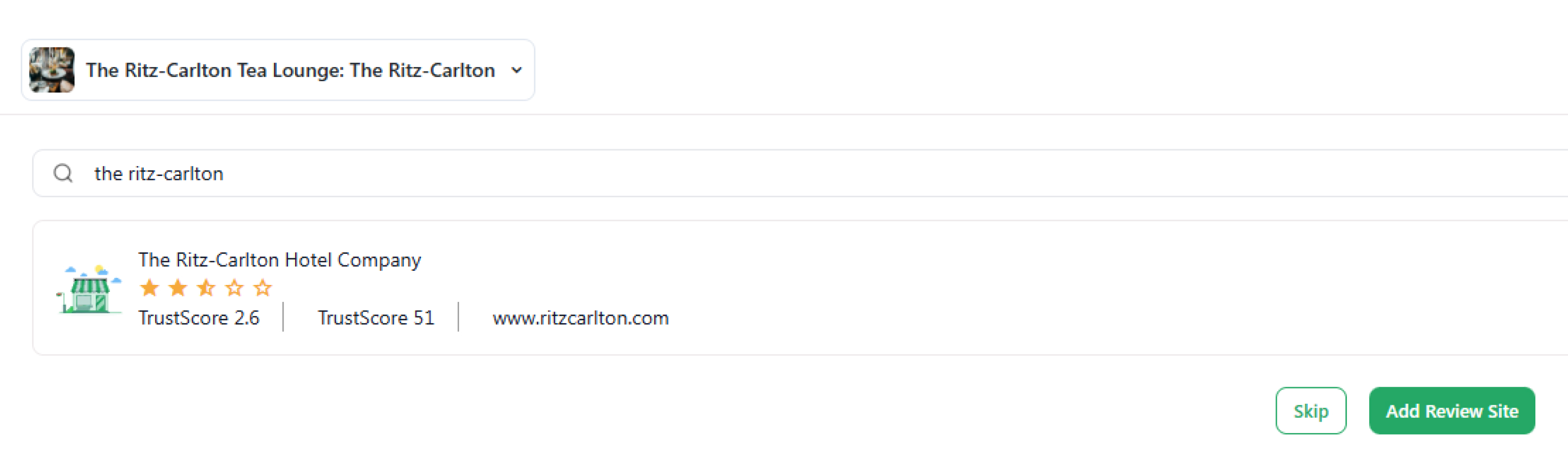
- Click Add Review Site.
- Enter the details, such as the business name, type, email, website URL, phone number, and country.
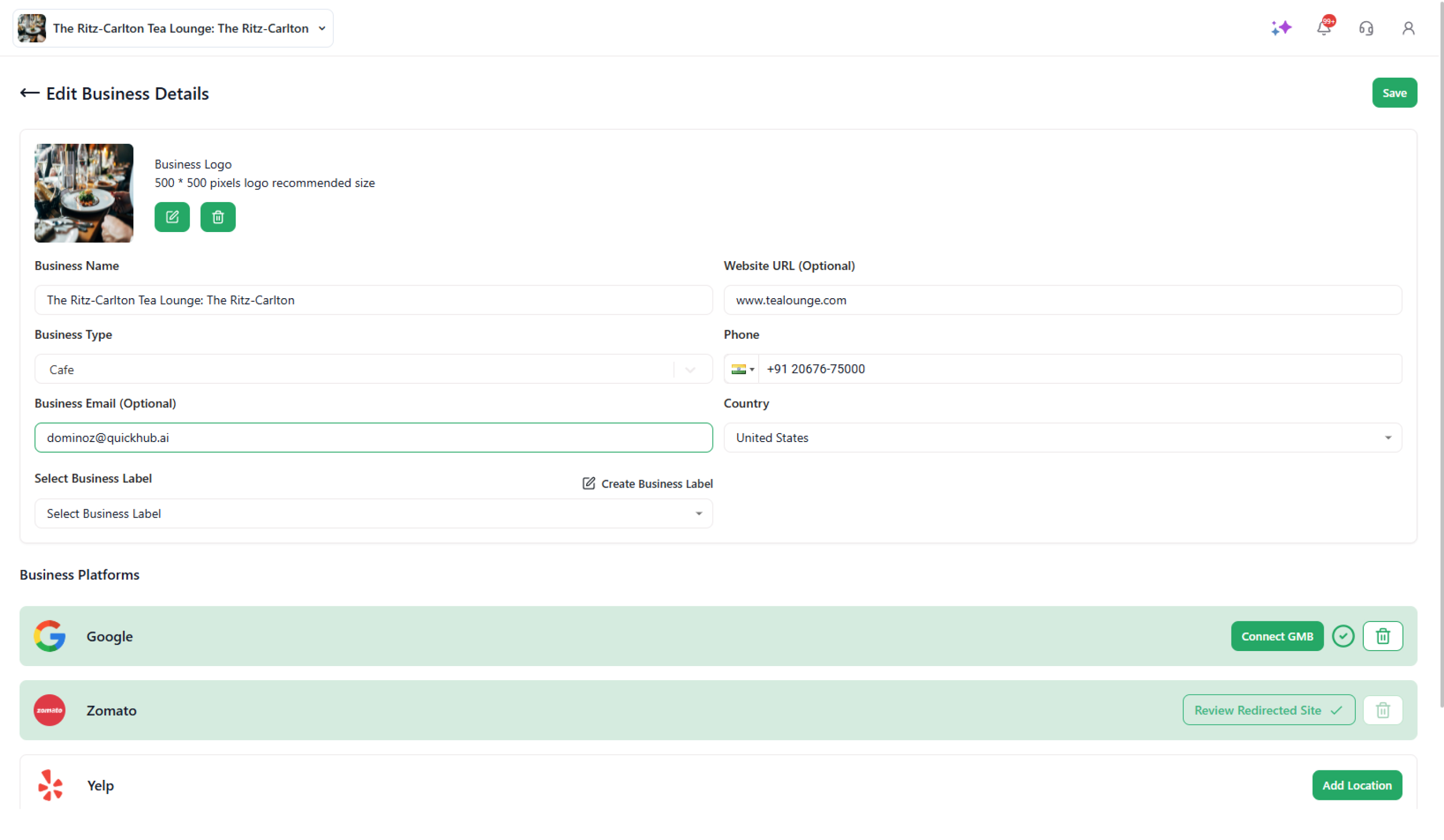
- Click Save.
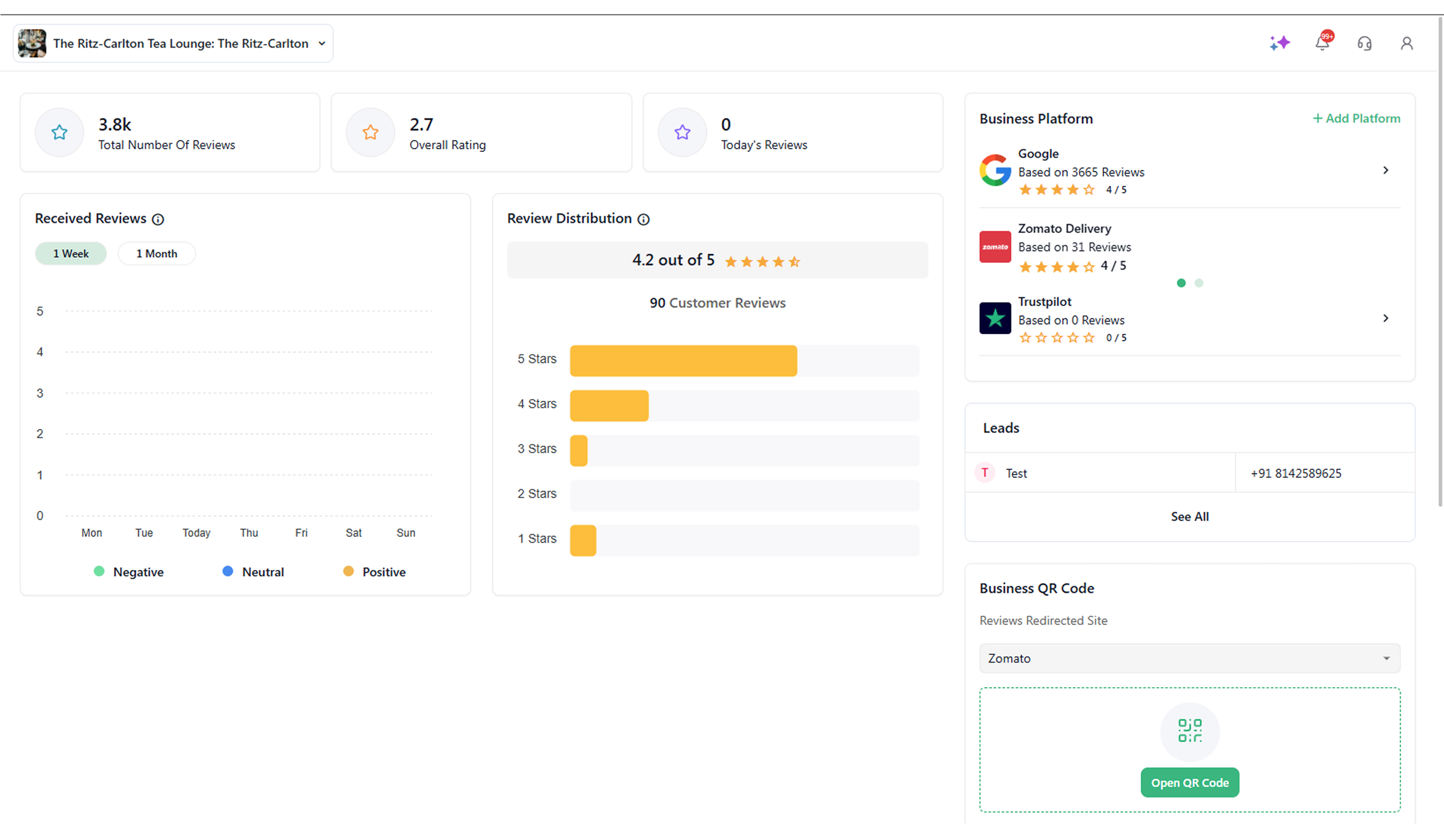
You will now be able to view your Trustpilot business under the Business Platform section in Quick Review.
Congratulations! Your Trustpilot business has now been added to your Quick Hub account.