How to Connect WhatsApp API to Your Quick Hub Account
You can now connect your WhatsApp Business account to your Quick Hub account. To do so, follow the steps below.
-
Go to Quick Hub.
-
Go to Quick Chat.
-
Then, go to WhatsApp Dashboard.
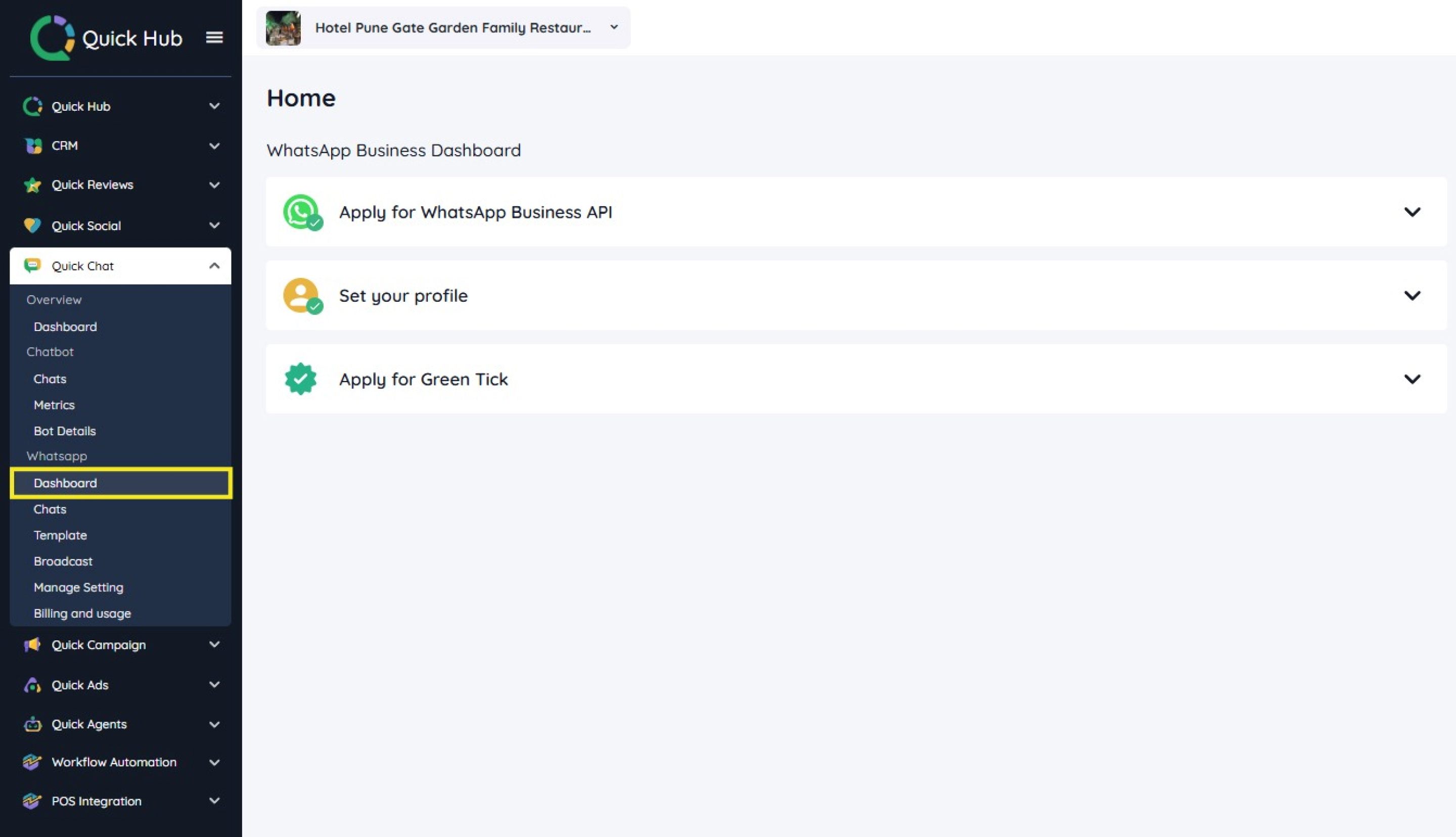
- Select Apply for WhatsApp Business API from the menu.
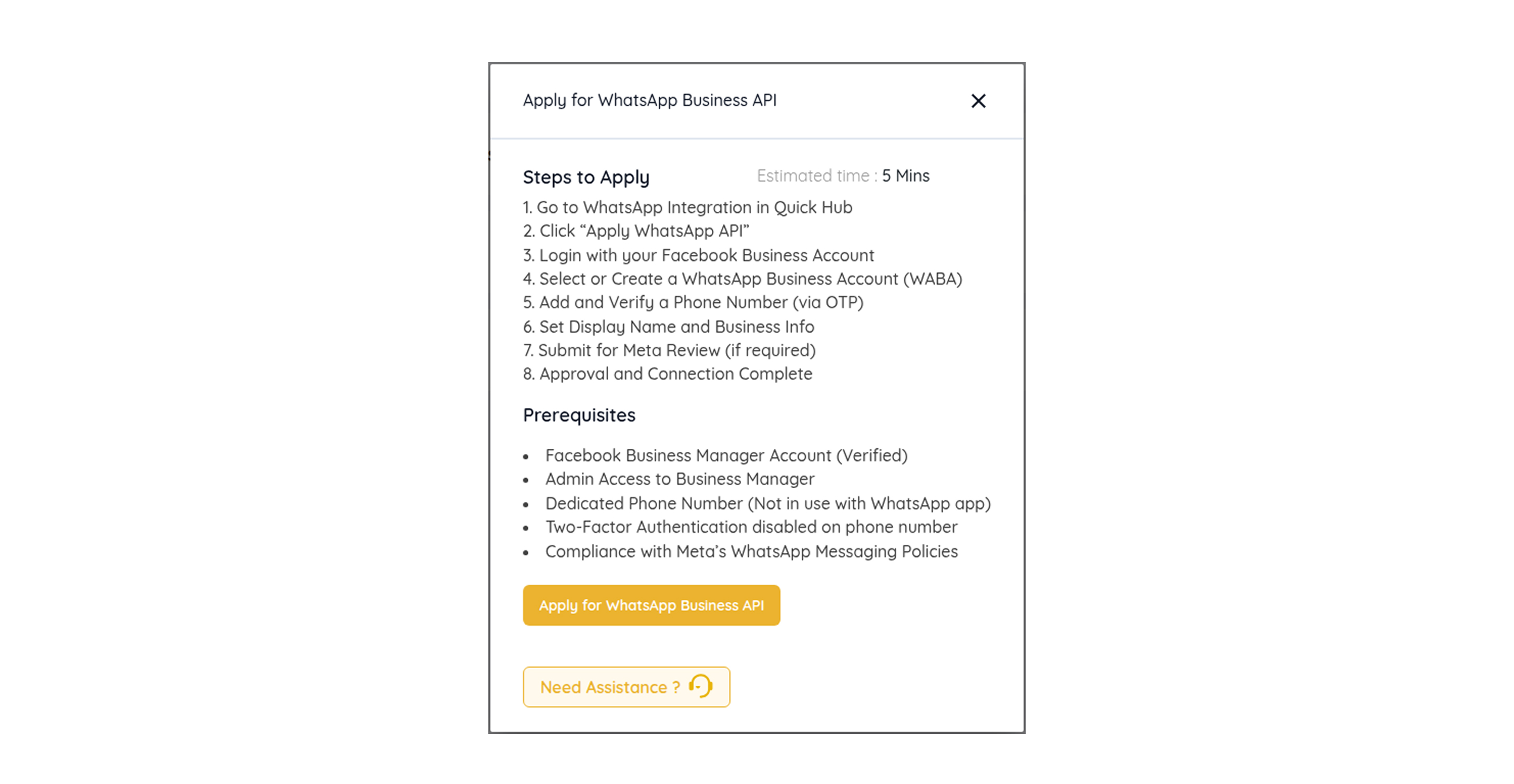
- You will need to connect your Facebook account to your Quick Hub account.
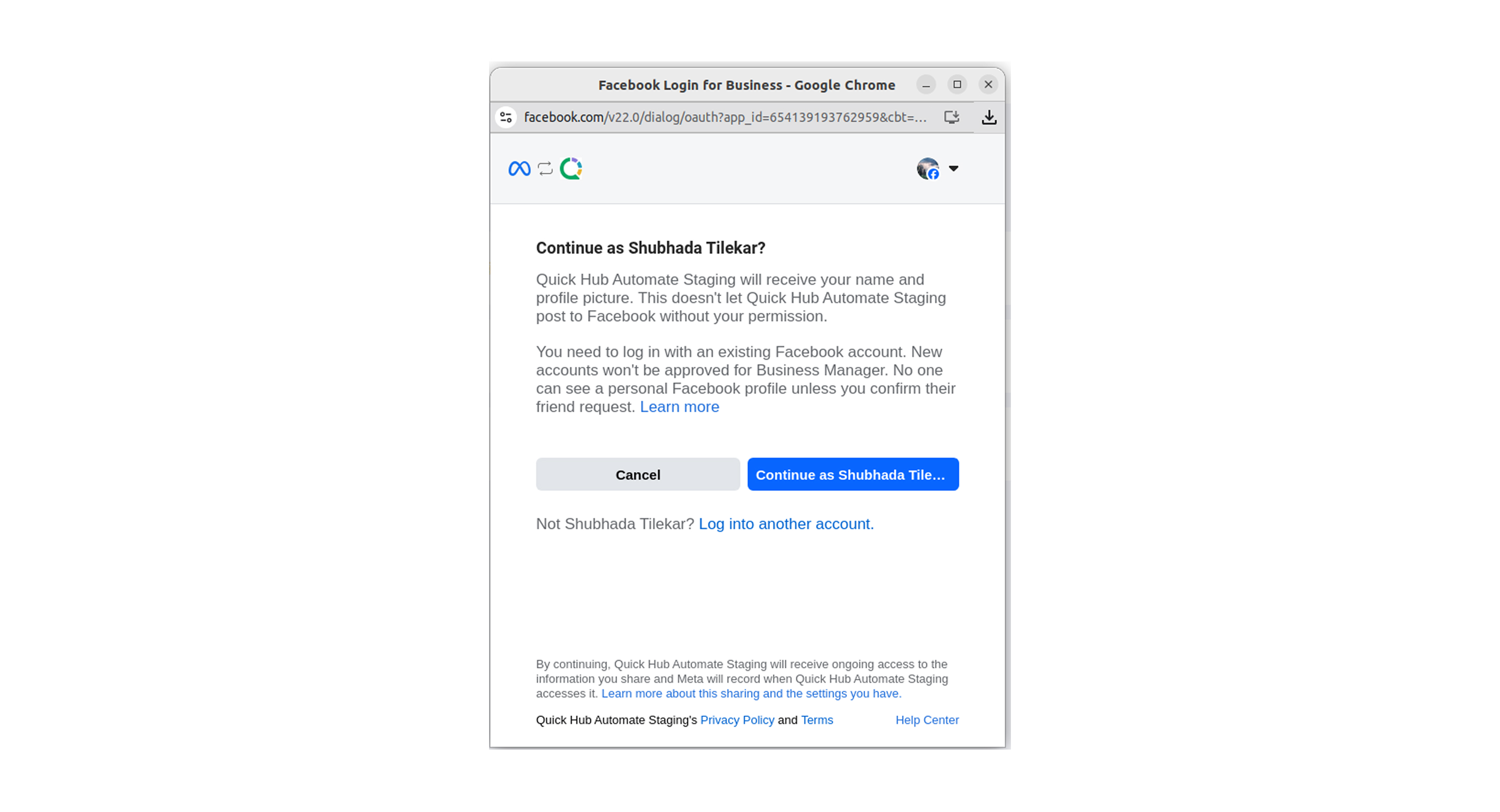
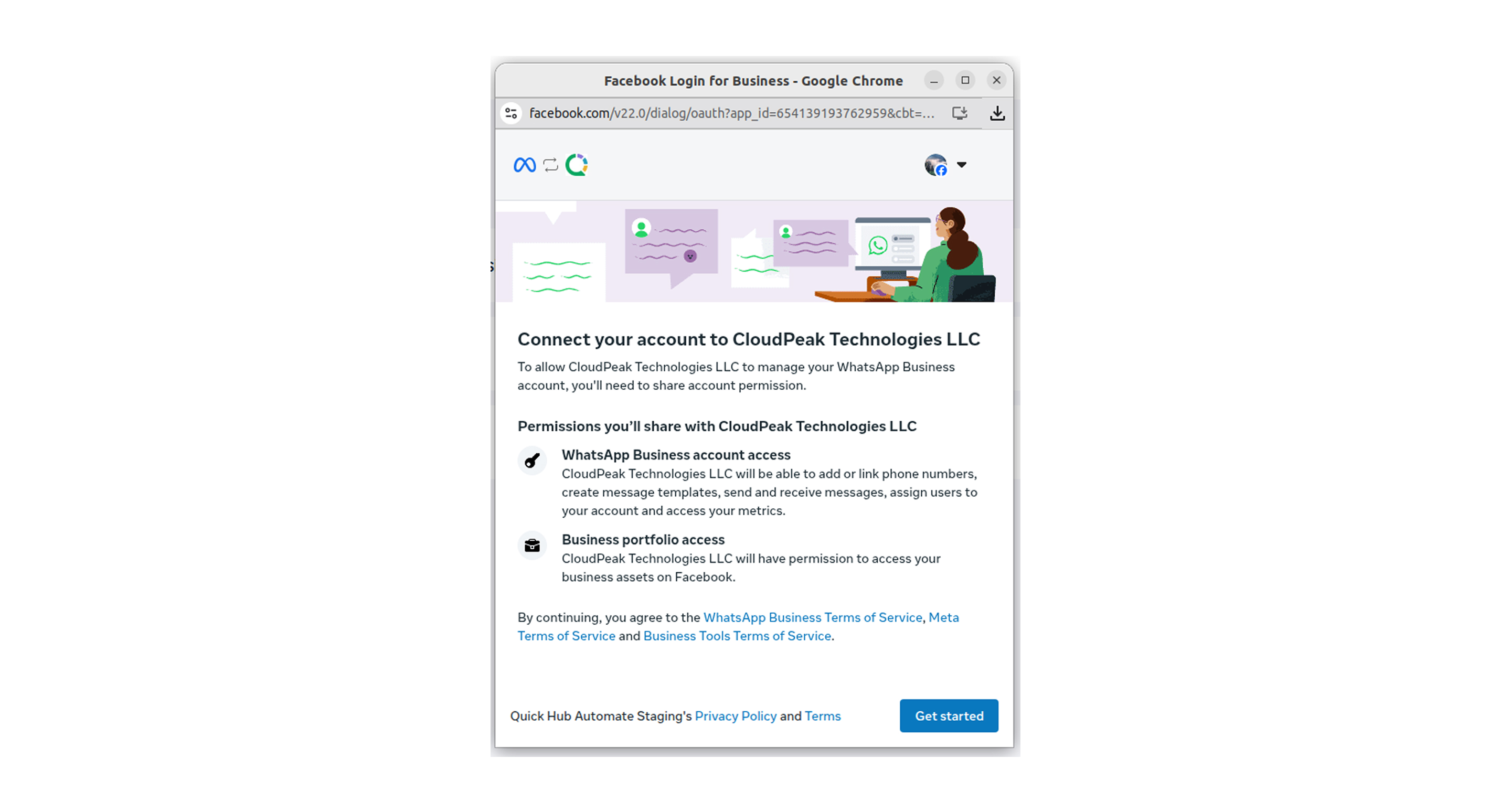
- Click Get started.
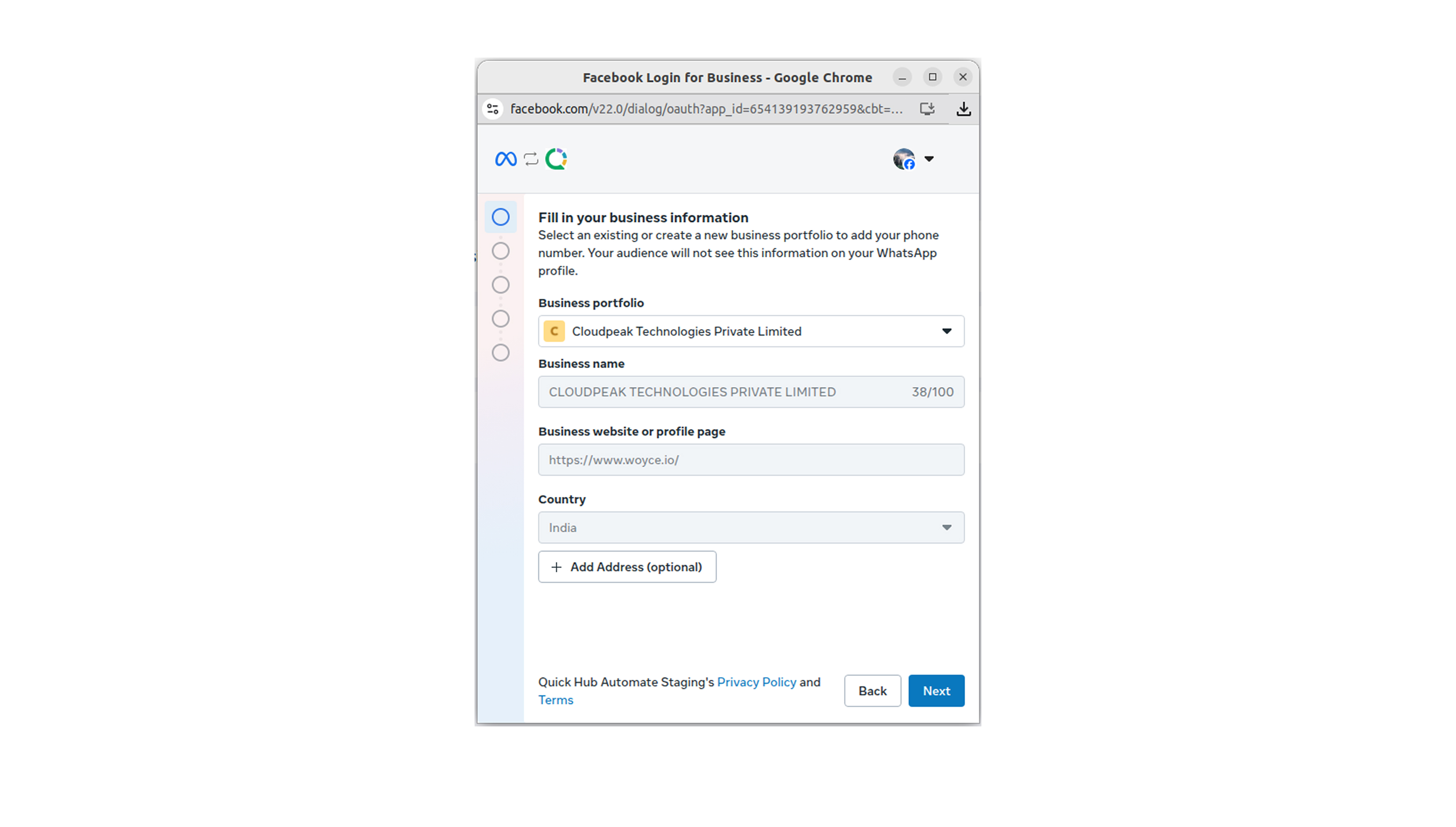
- Enter the business details, including portfolio, name, website, and country. Then, click Next.
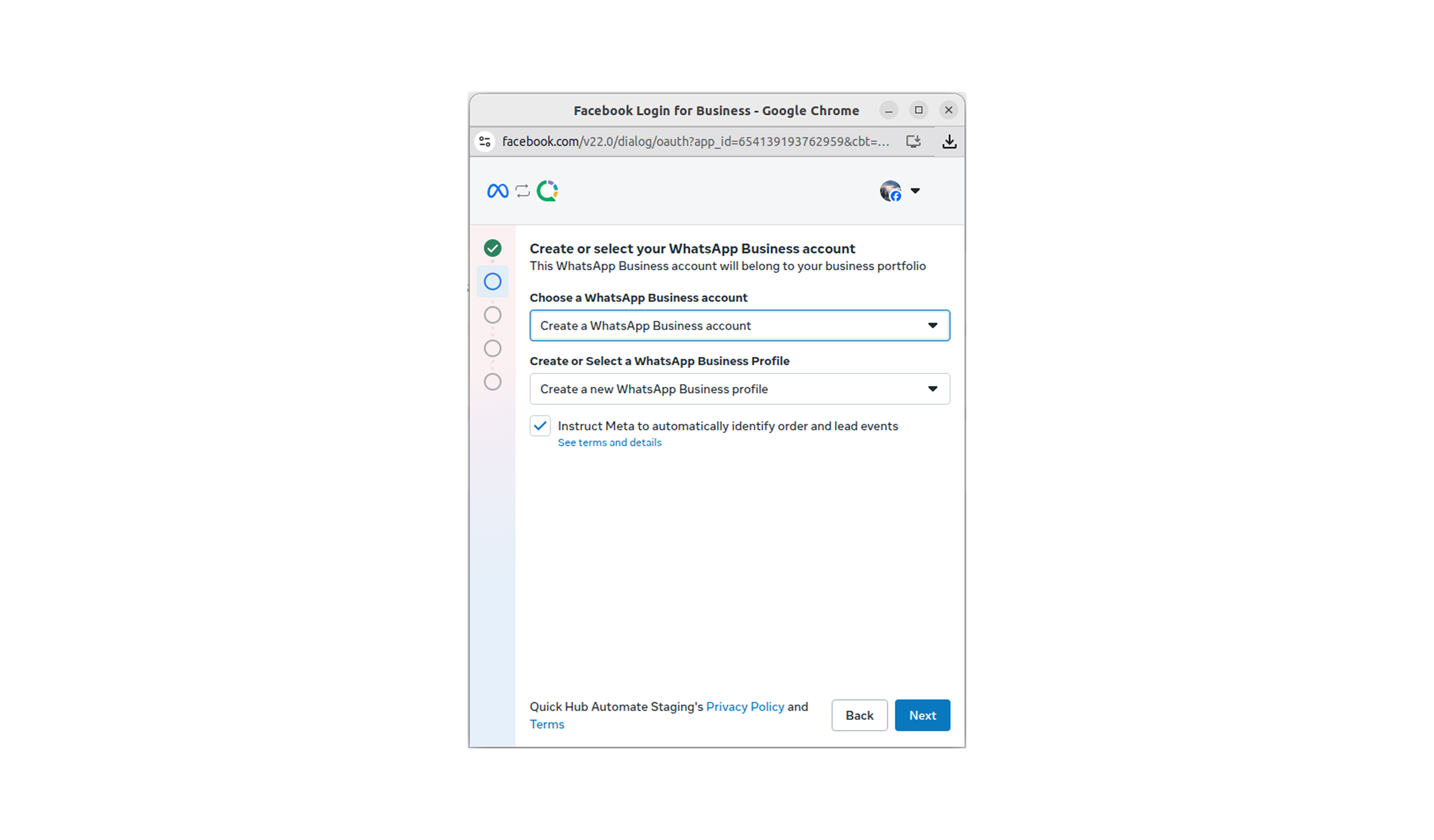
- You can choose a WhatsApp business account or create a new one. Click Next.
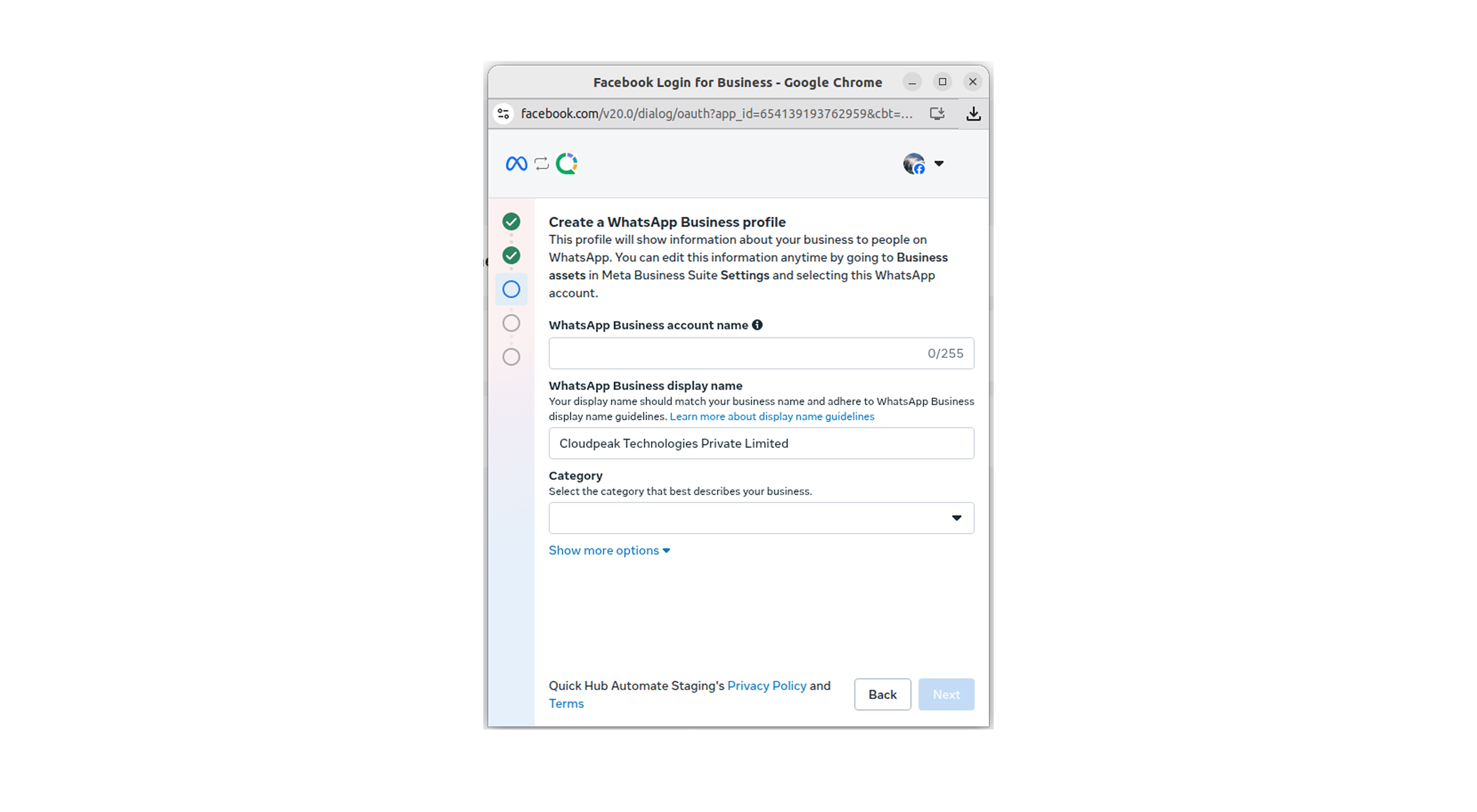
- Enter the WhatsApp Business account name, display name, and category.
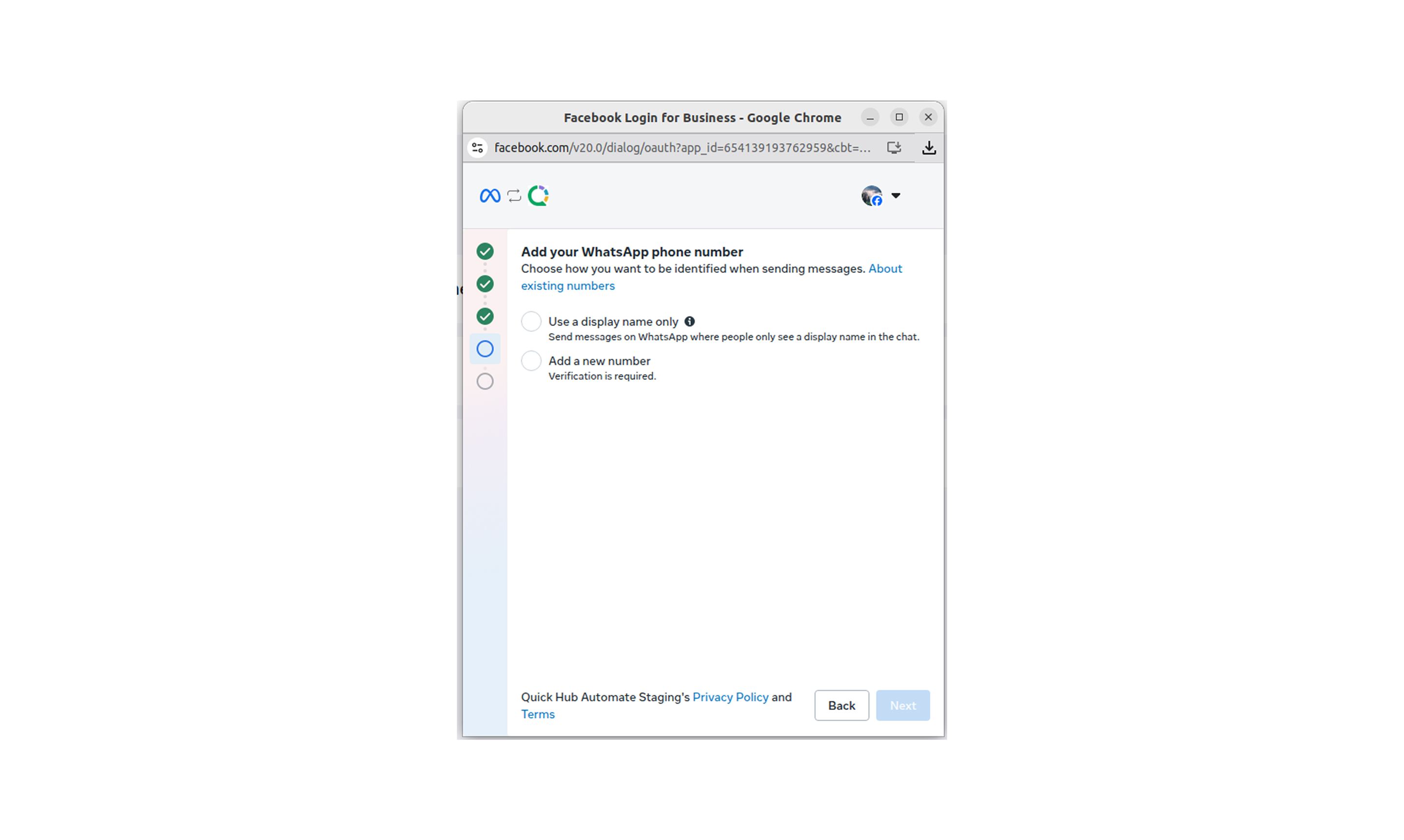
- Add your WhatsApp number. You can either use a display name or add a new phone number.
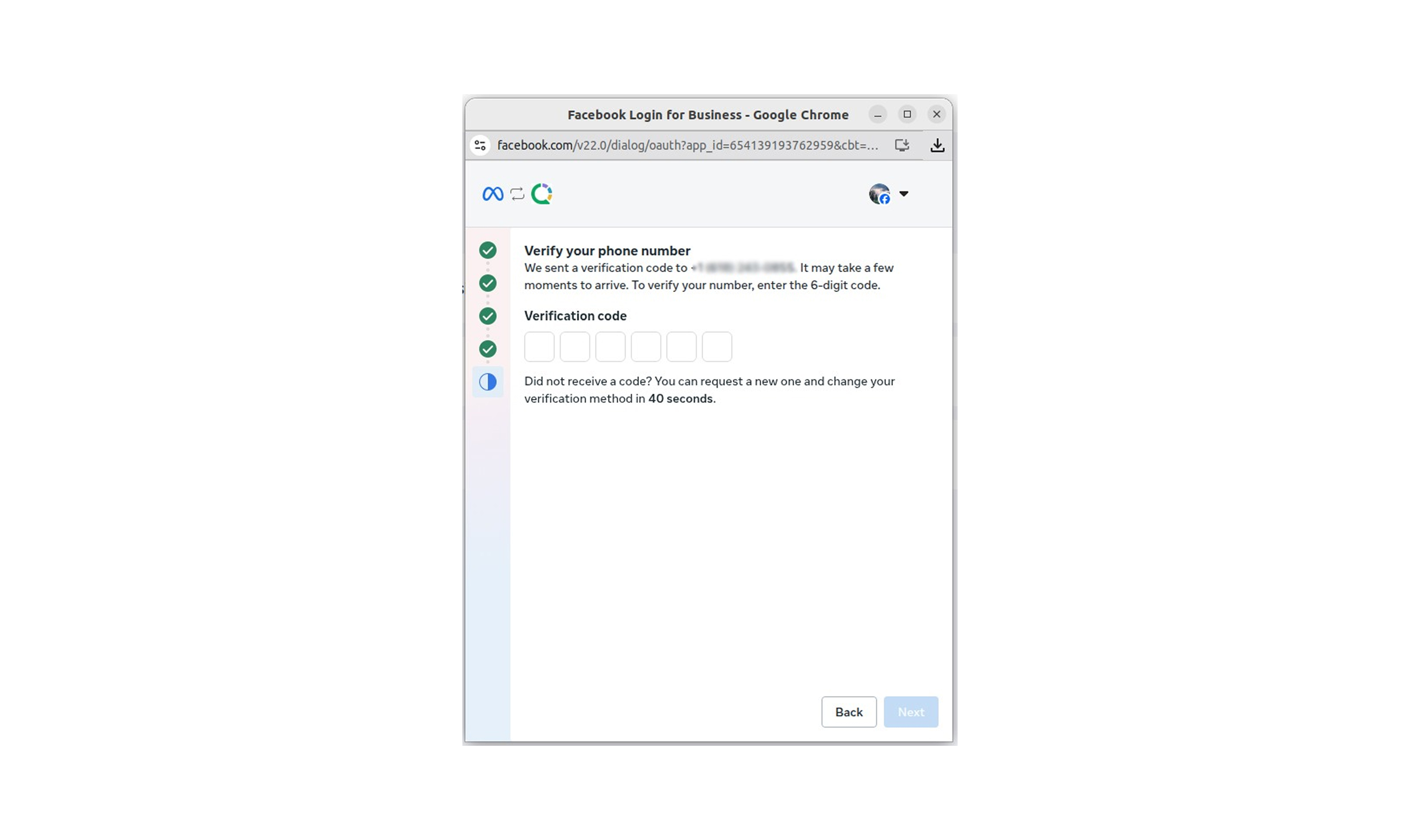
- A verification code will be sent to your number. Enter the code and click Next.
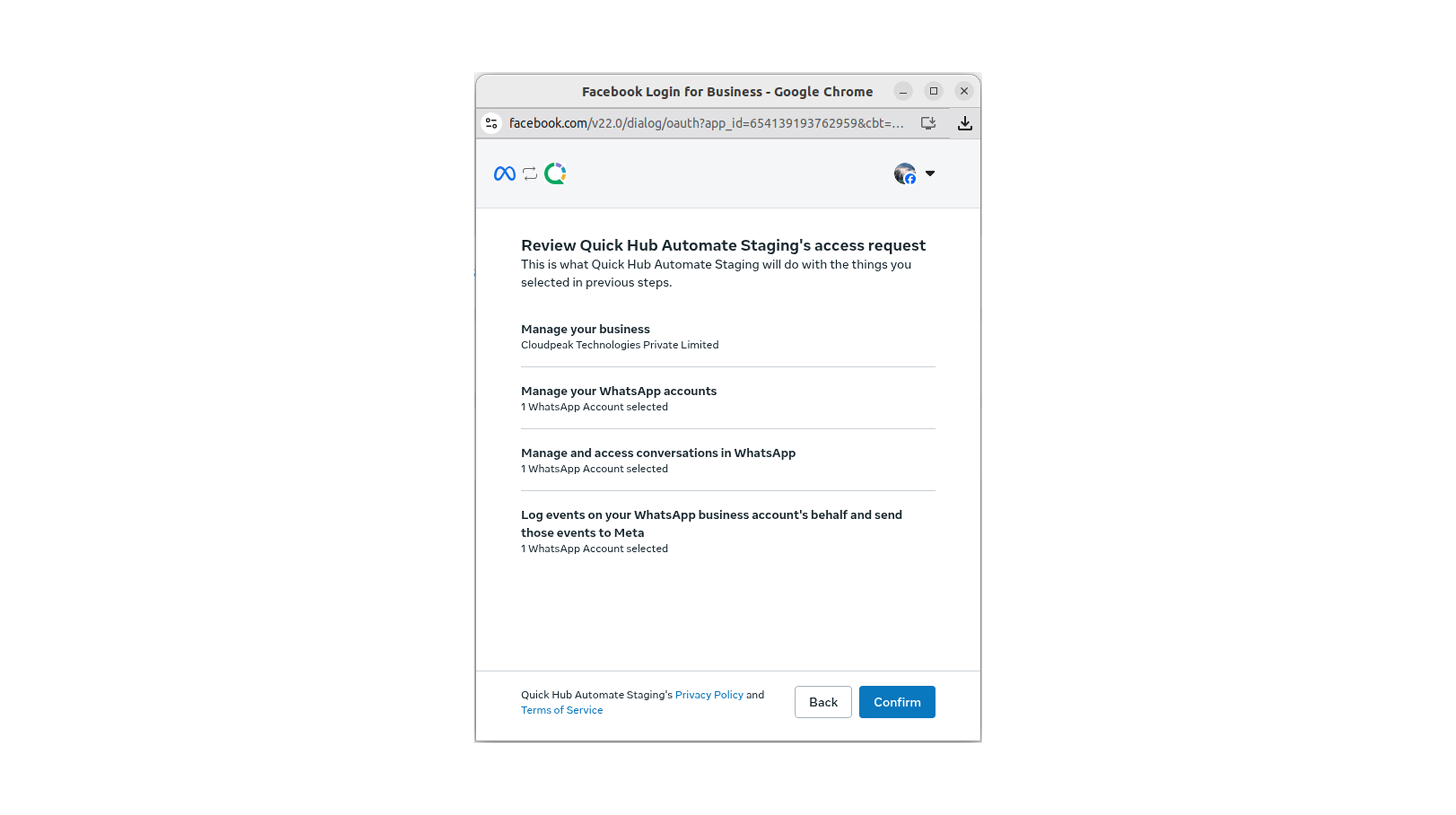
- Click Confirm.
-
Click Finish.
-
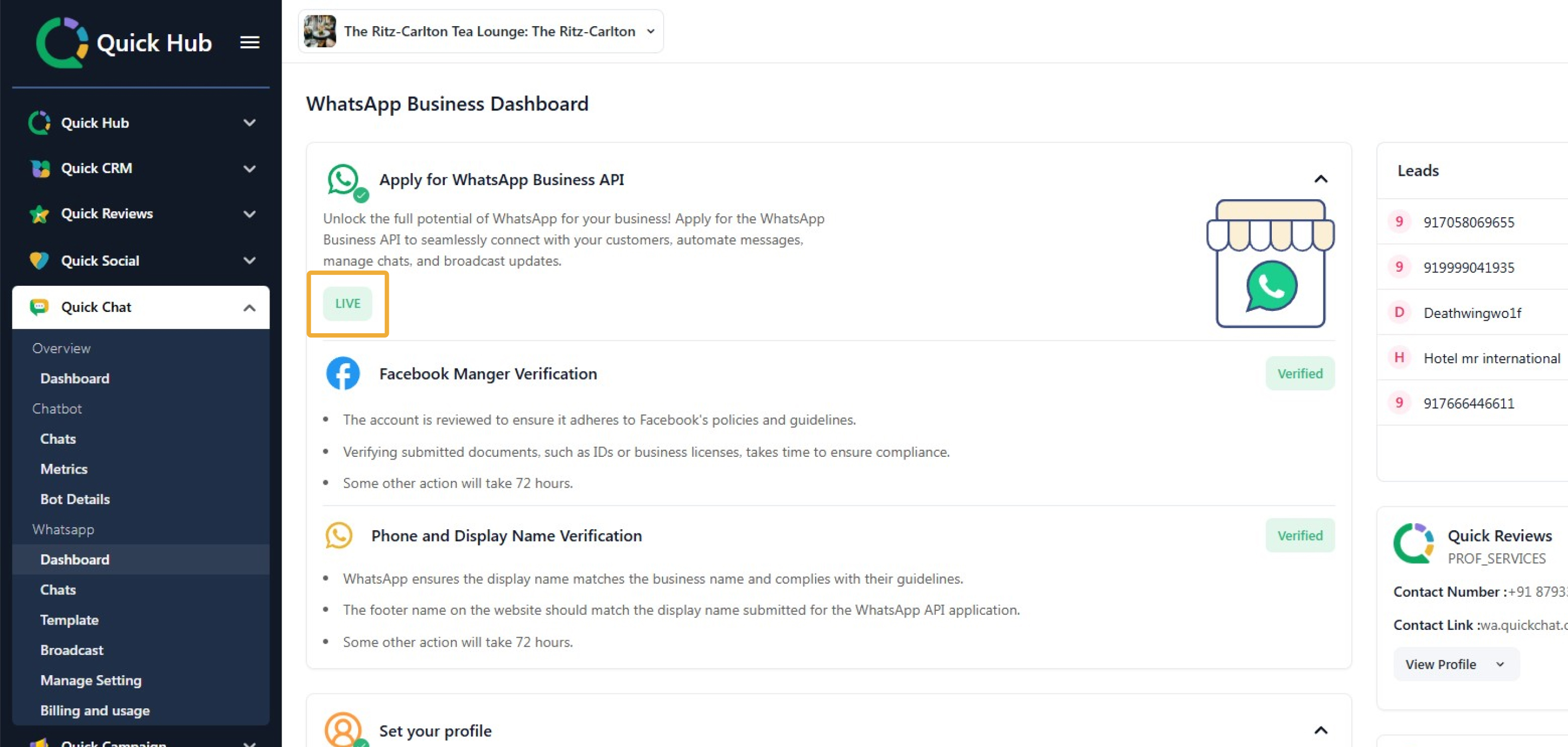
Your WhatsApp API is now active and live.