How to Share a QR Code & Set Up Custom Attributes for Quick Reviews
You can now share a QR code with your customers to collect reviews for your product or service. Follow the steps below:
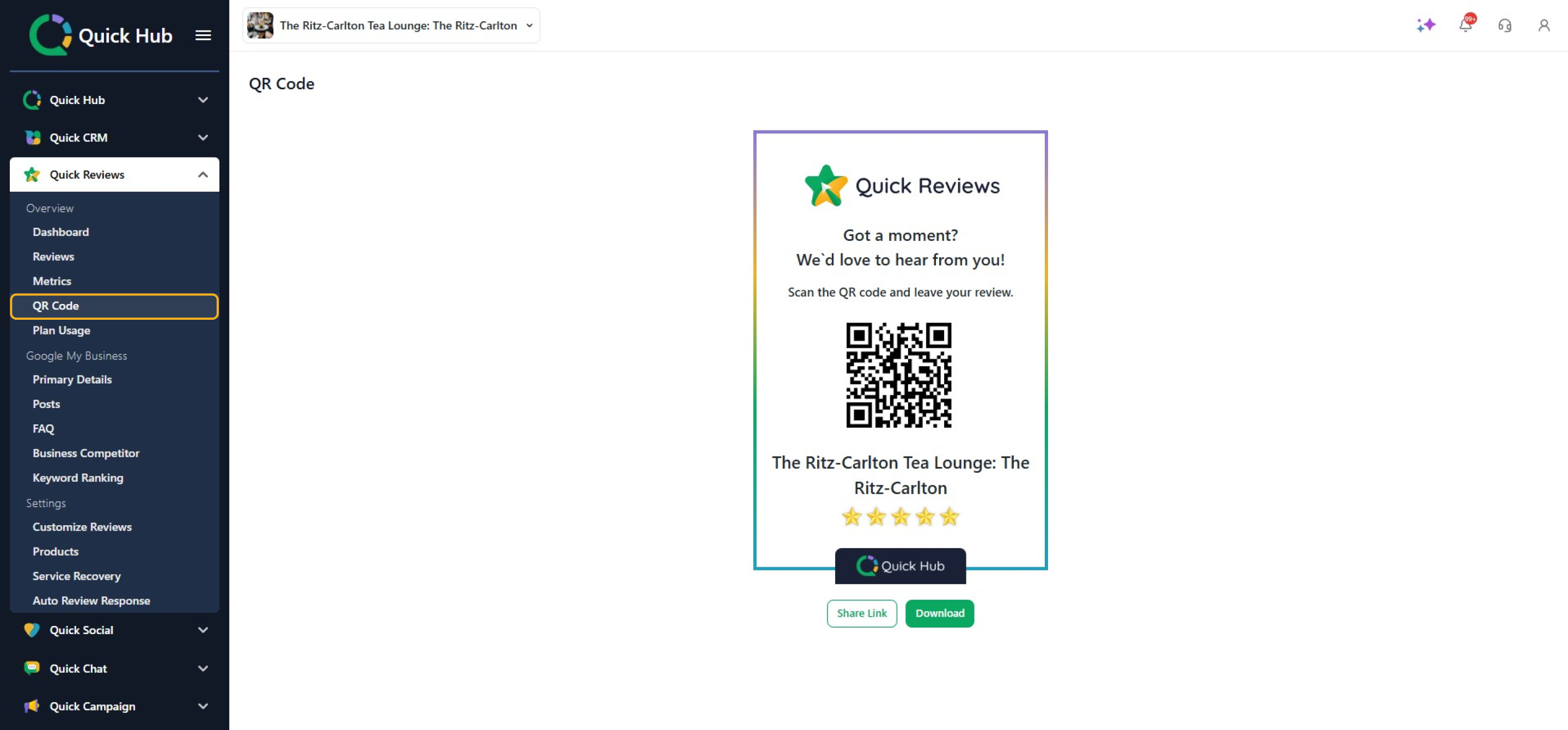
- In the left menu, select Quick Reviews to generate your business QR code.
- Click QR Code.
- On the next screen, customers can rate their experience by giving stars for five attributes (attributes are the aspects of your business that customers can provide feedback on).
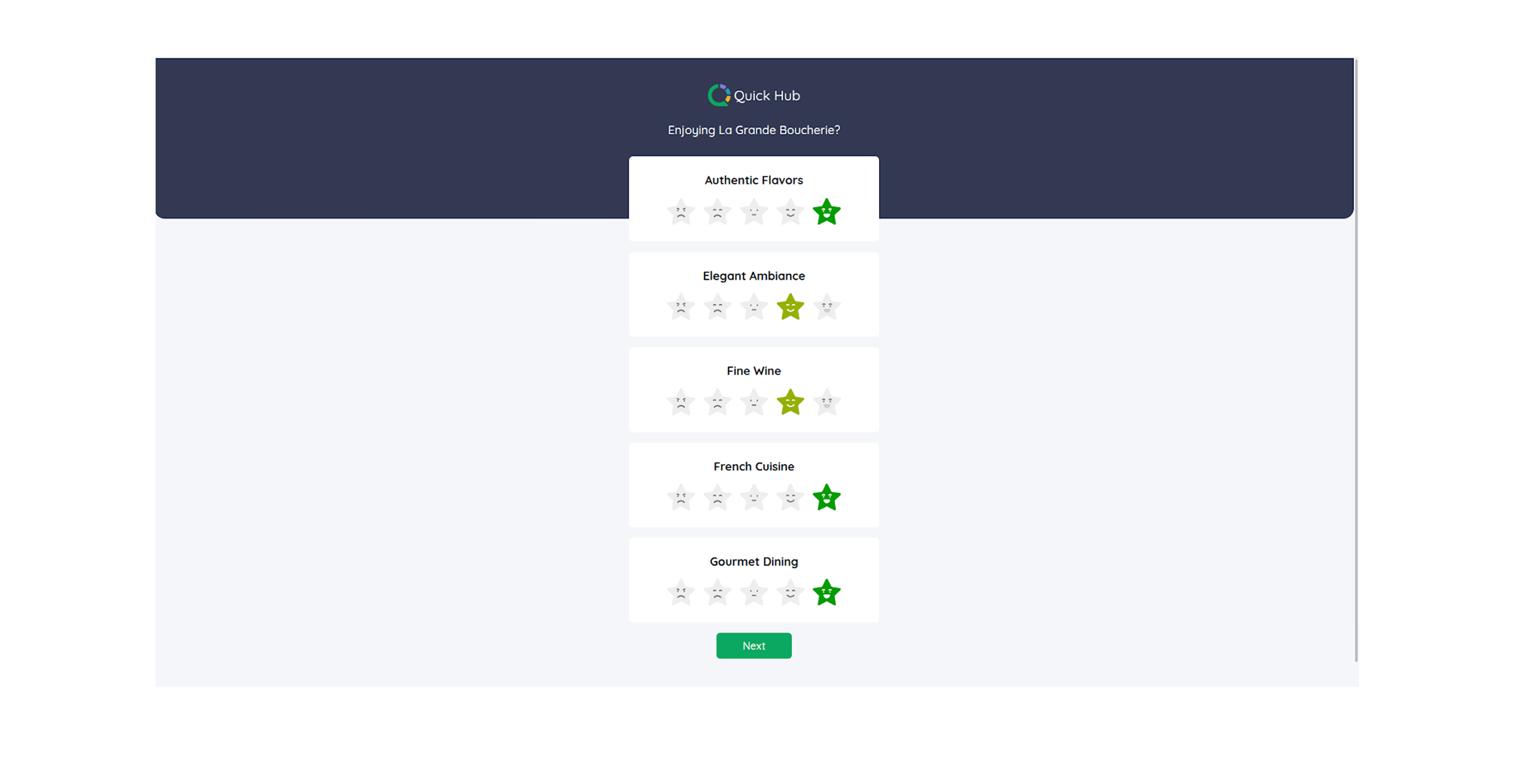
- Click Next.
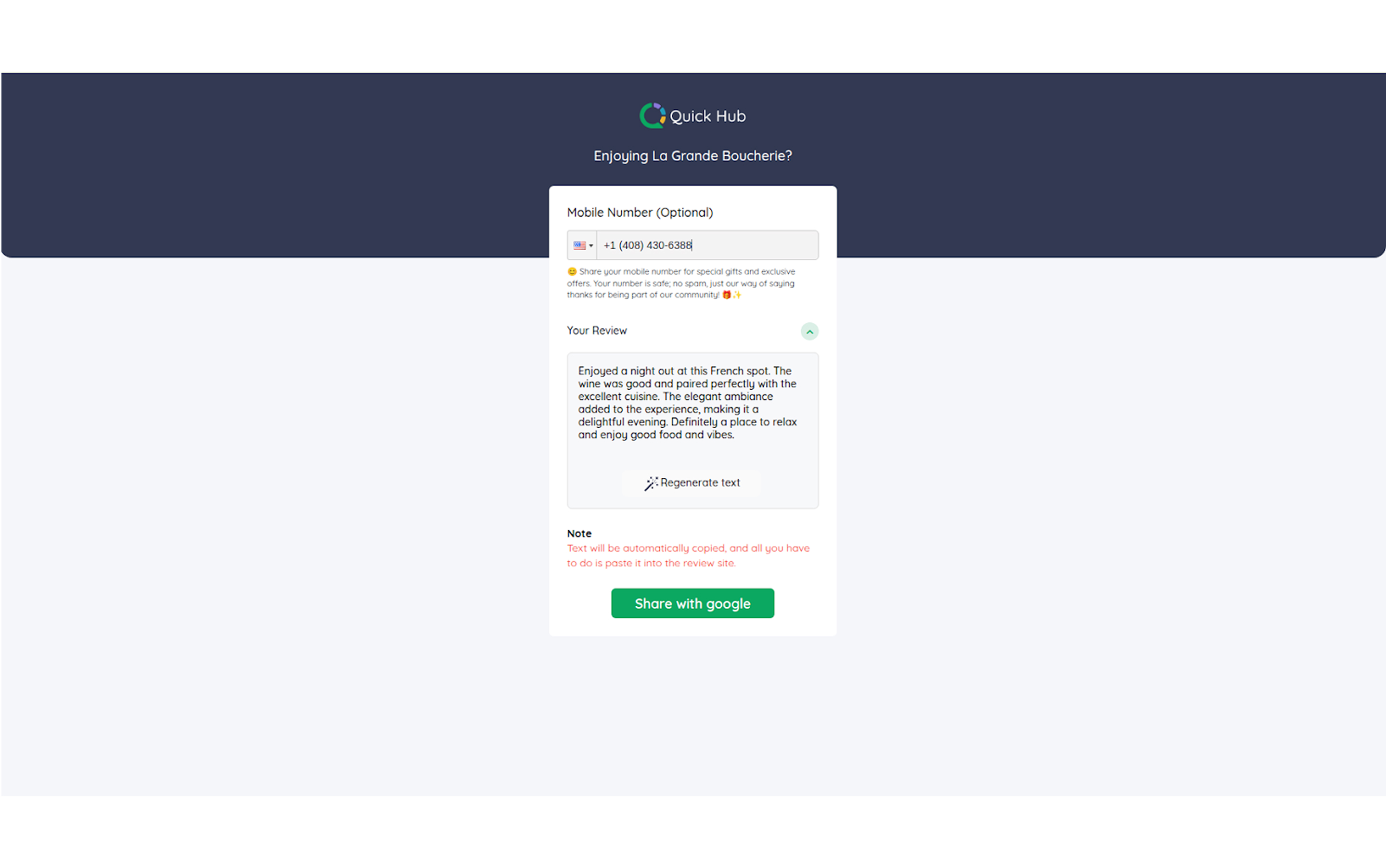
- Quick Hub will automatically convert the star ratings into sentences. Click Share with Google.
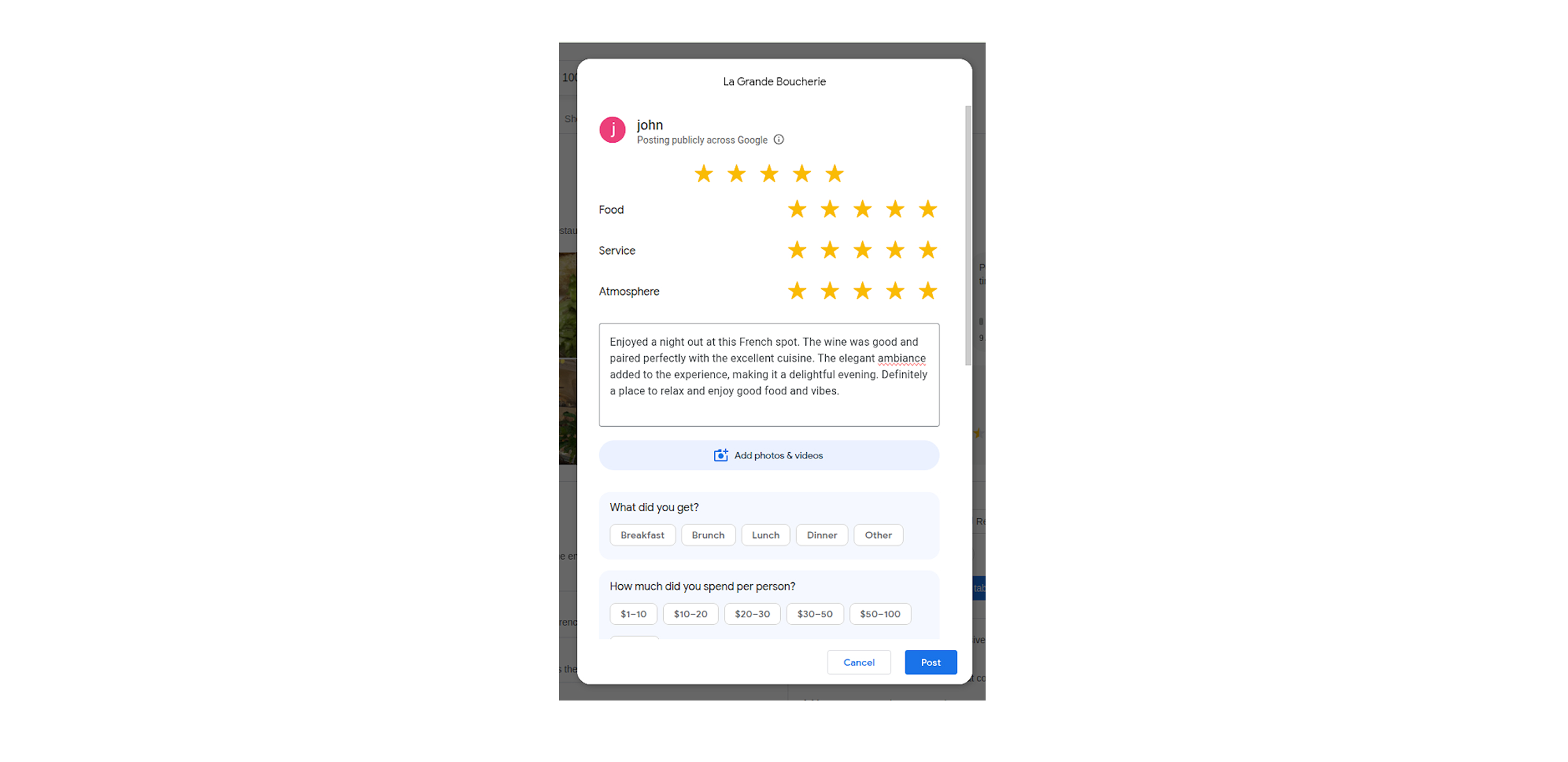
- Click Next.
- The review will be posted on Google.
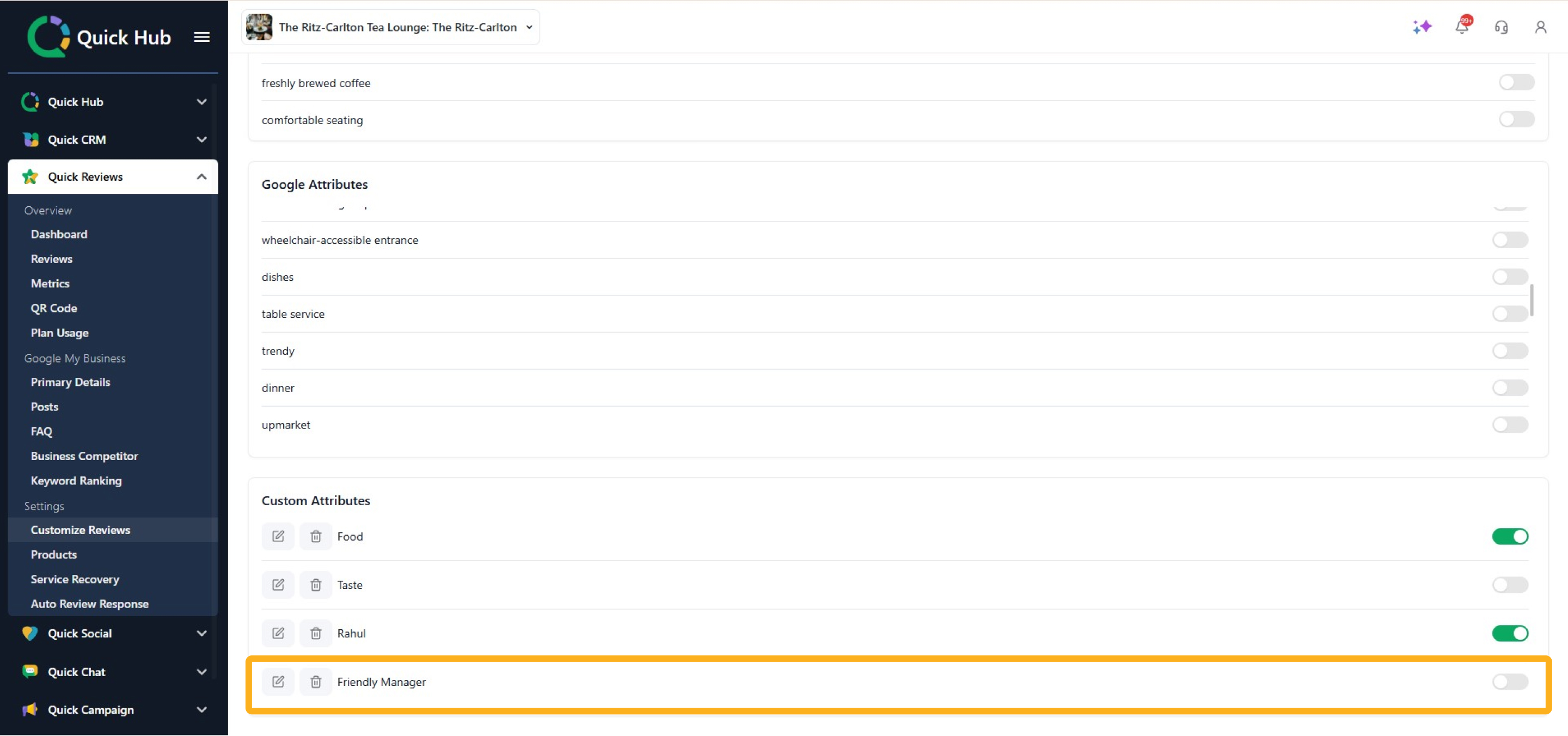
Next, complete the steps below to configure custom attributes. Attributes are the aspects of your business that customers can provide feedback on.
- Go to Quick Hub.
- Go to Quick Reviews.
- Click Customize Reviews.
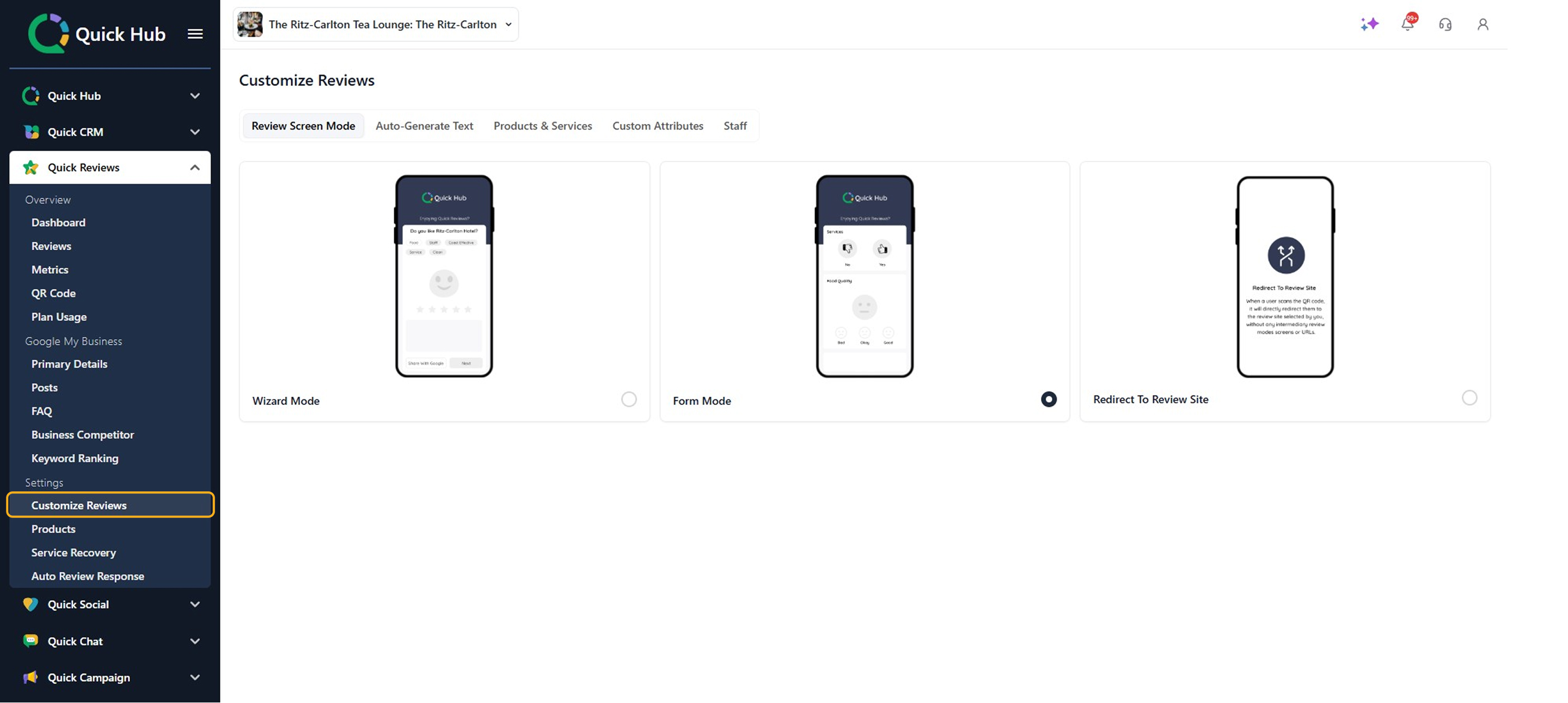
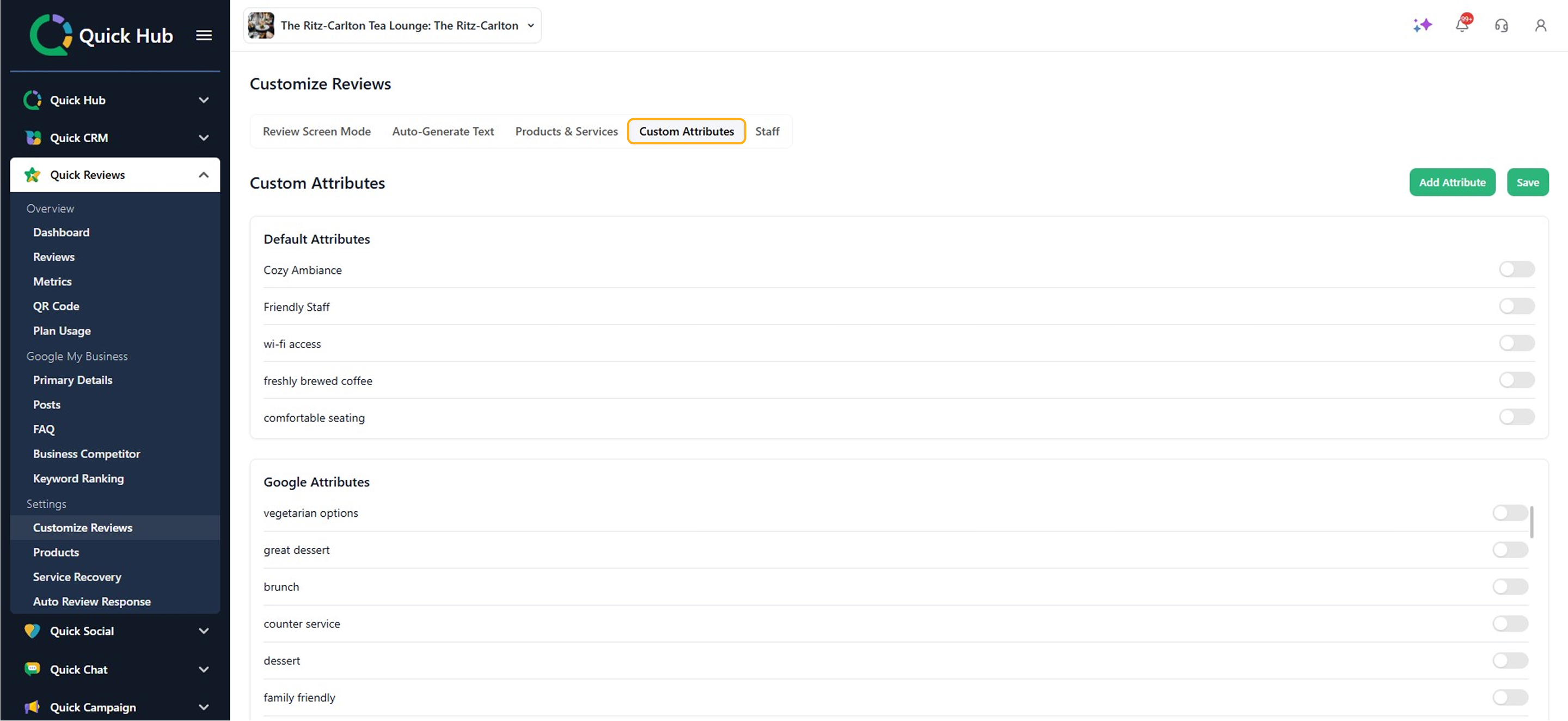
- Choose Custom Attributes.
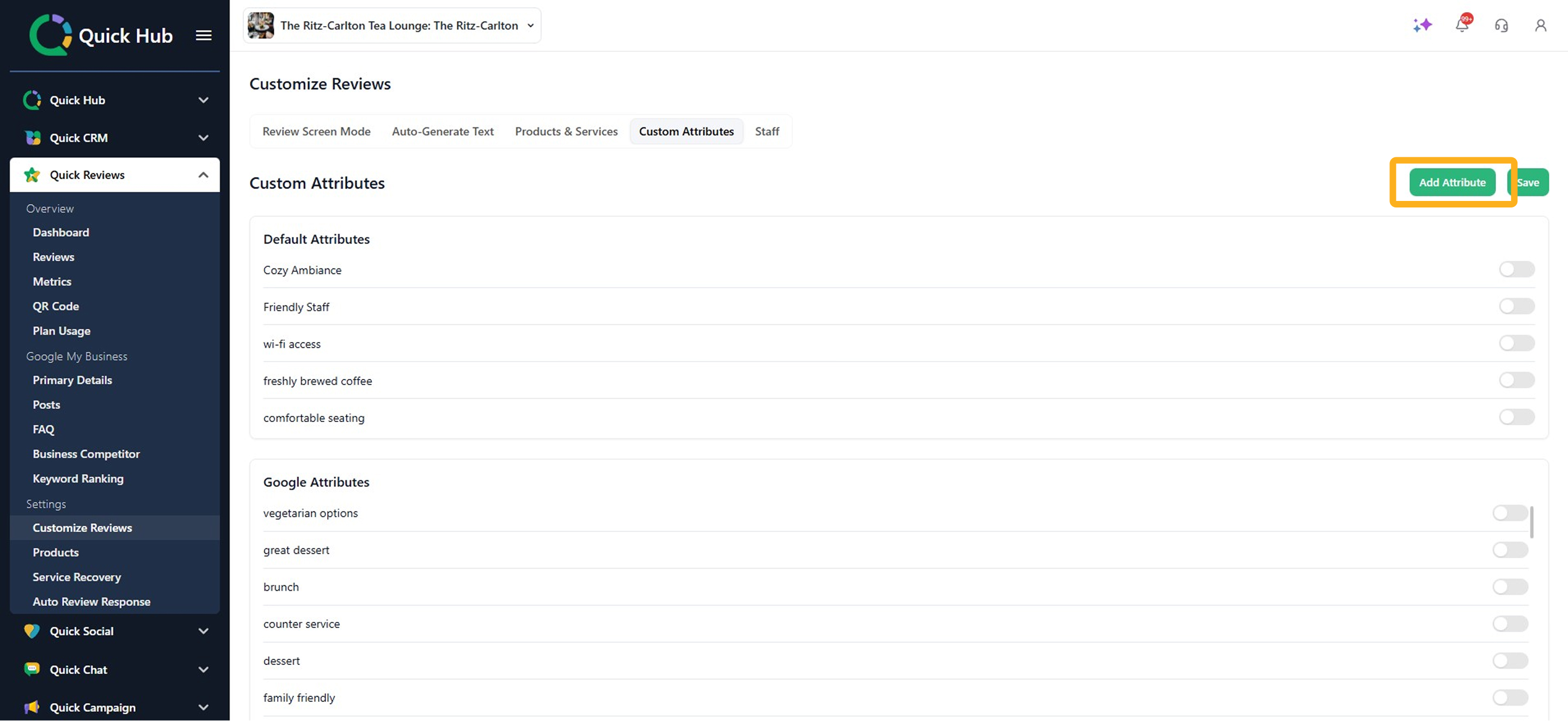
- To add an attribute, click Add Attribute.
- Enter the attribute name and choose a rating format (you can select from thumbs, faces, stars, or emojis).

- Click Save.
Congratulations! Your attribute has been successfully added. Your customers will now be able to see it while rating your product or service.