How to View and Compare Business Competitors with Selected Keywords
You can easily view and compare your business performance with your competitors in Quick Hub. Follow the steps below:
- Go to Quick Hub.
- Go to Quick Review and click Business Competitor under Google My Business.
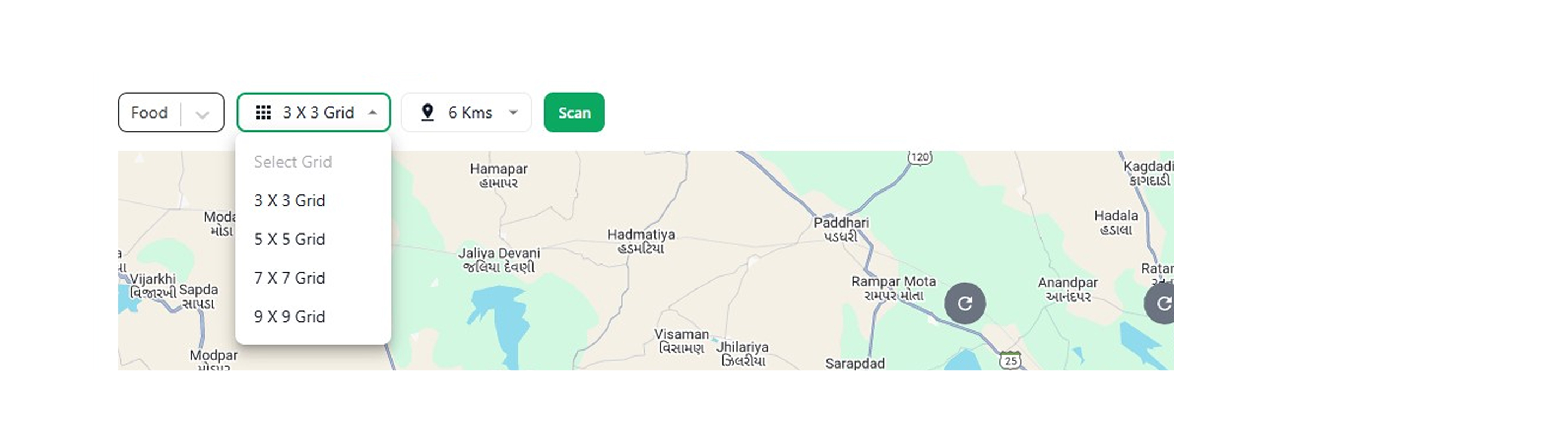
- On this screen, you can select a keyword related to your business from the Top Keyword section. You can also define the grid and set the radius (in kilometers) to view competitors within that range.

- Click Scan.
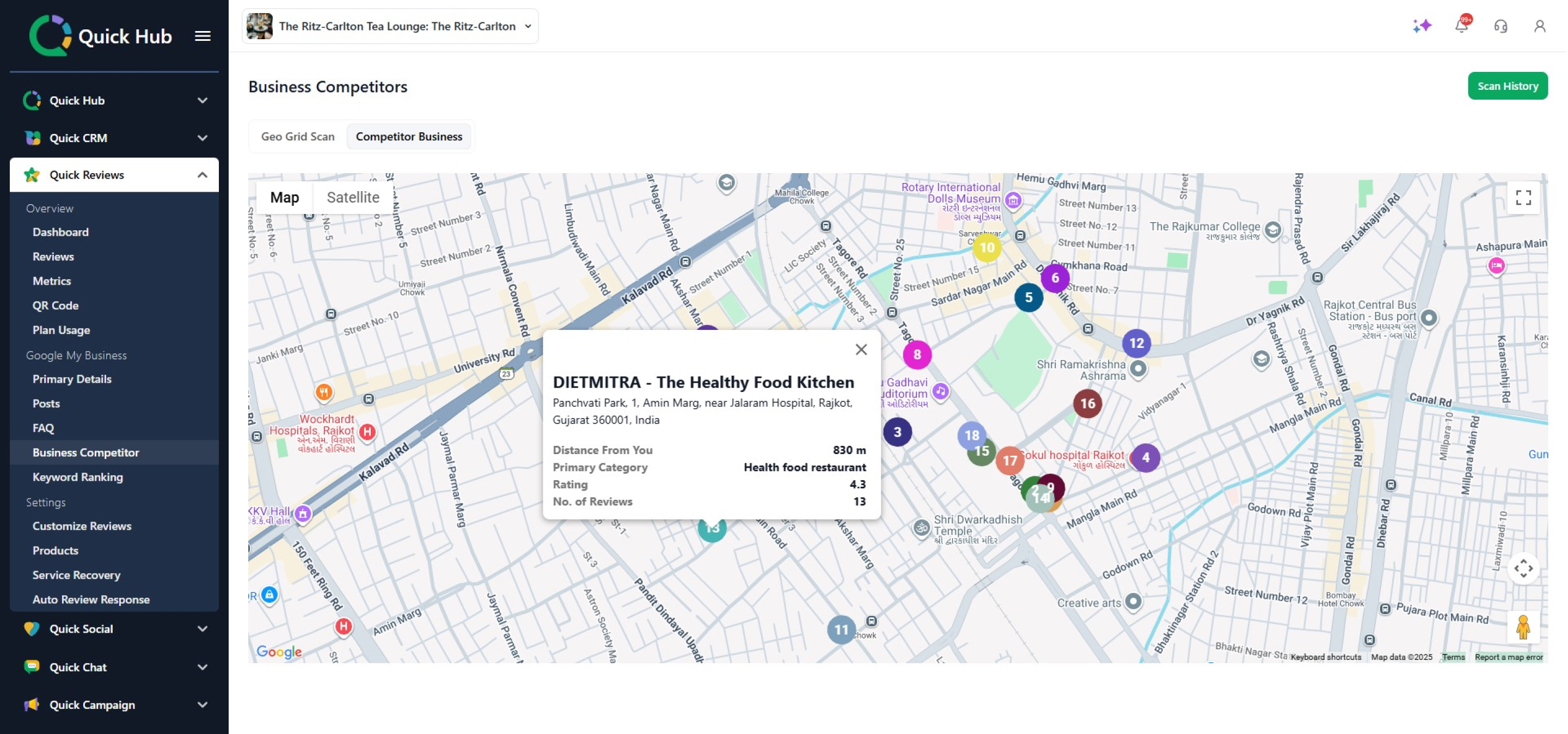
- Once you click Scan, you will be able to see all the competitors' names in the specified area.
- Click View Details to be redirected to the Google Maps page for that particular business.
- Click the Competitor Business section to view their business details, such as location and ranking.
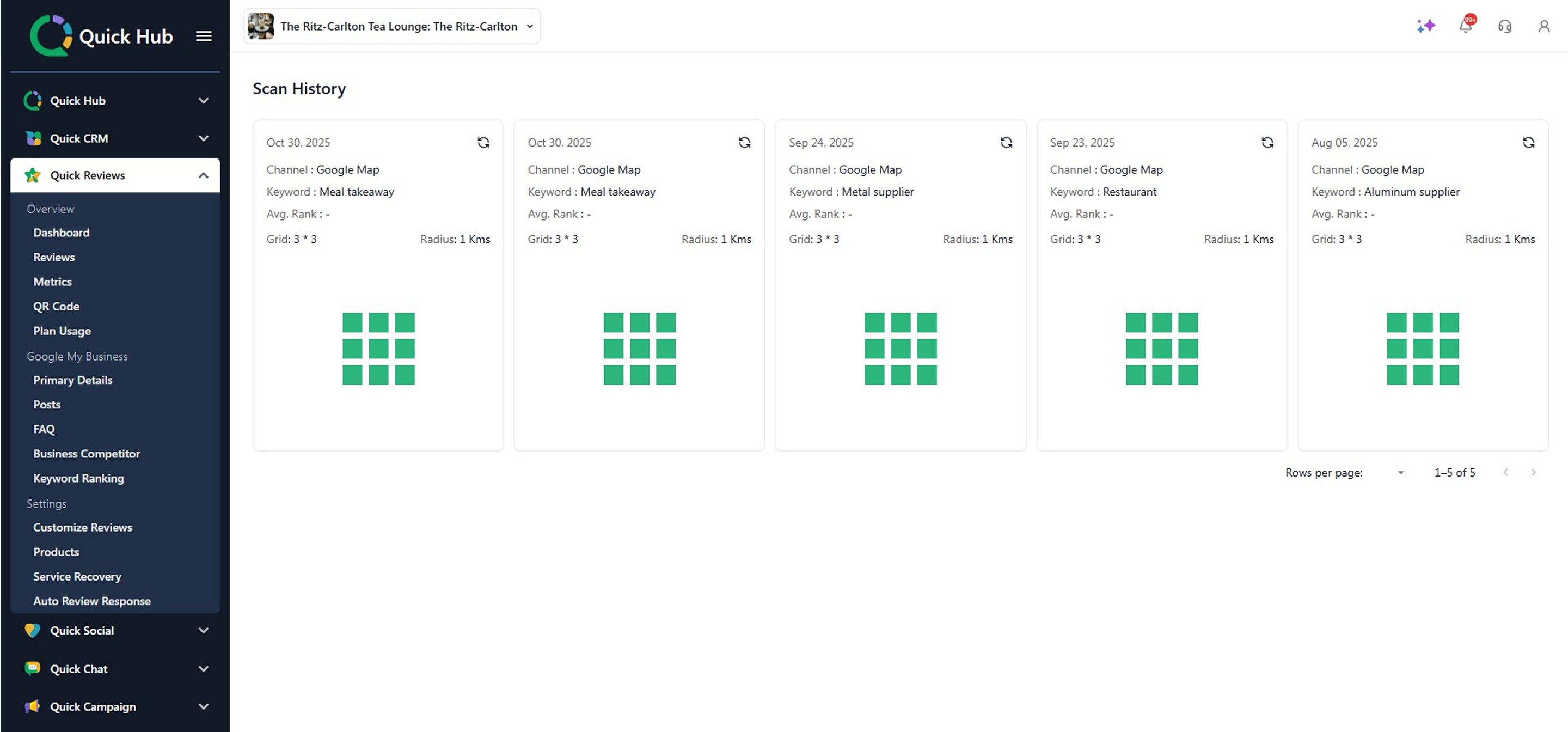
- Click the Scan History tab to view all your past searches.
- To rerun the search, click Re-run.
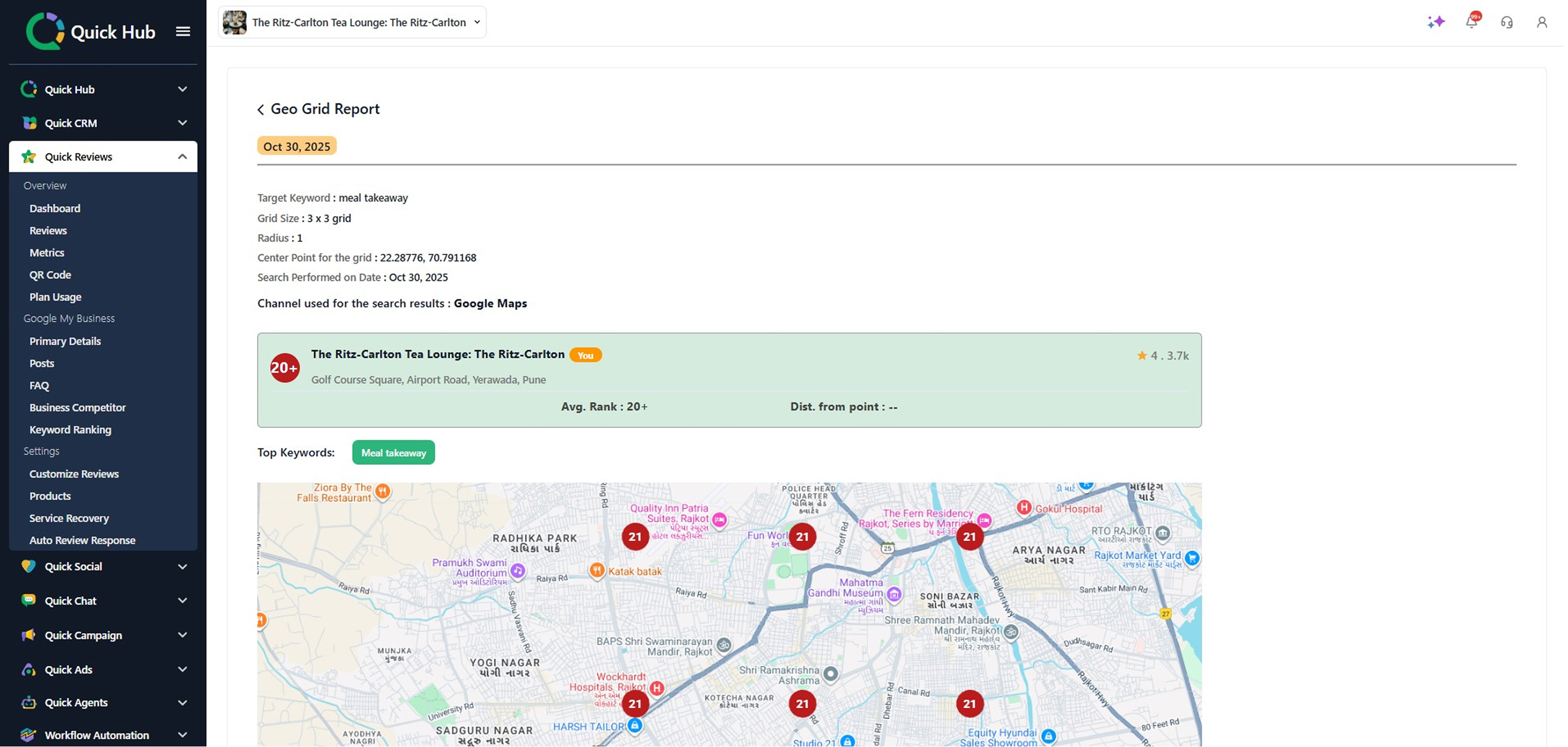
- Click the cards you wish to view the Geo Grid Report for.
- Here, you can view in-depth details, including target keywords, grid size, radius, center point for the grid, search date, channel, and a list of top competitors along with their business addresses and Google rankings.