How to Customize Reviews, Add/Remove Products and Services, and Add Staff
-
Go to Quick Hub.
-
From the dropdown, select Quick Review on the left side of the screen. Then, select Customize Reviews.
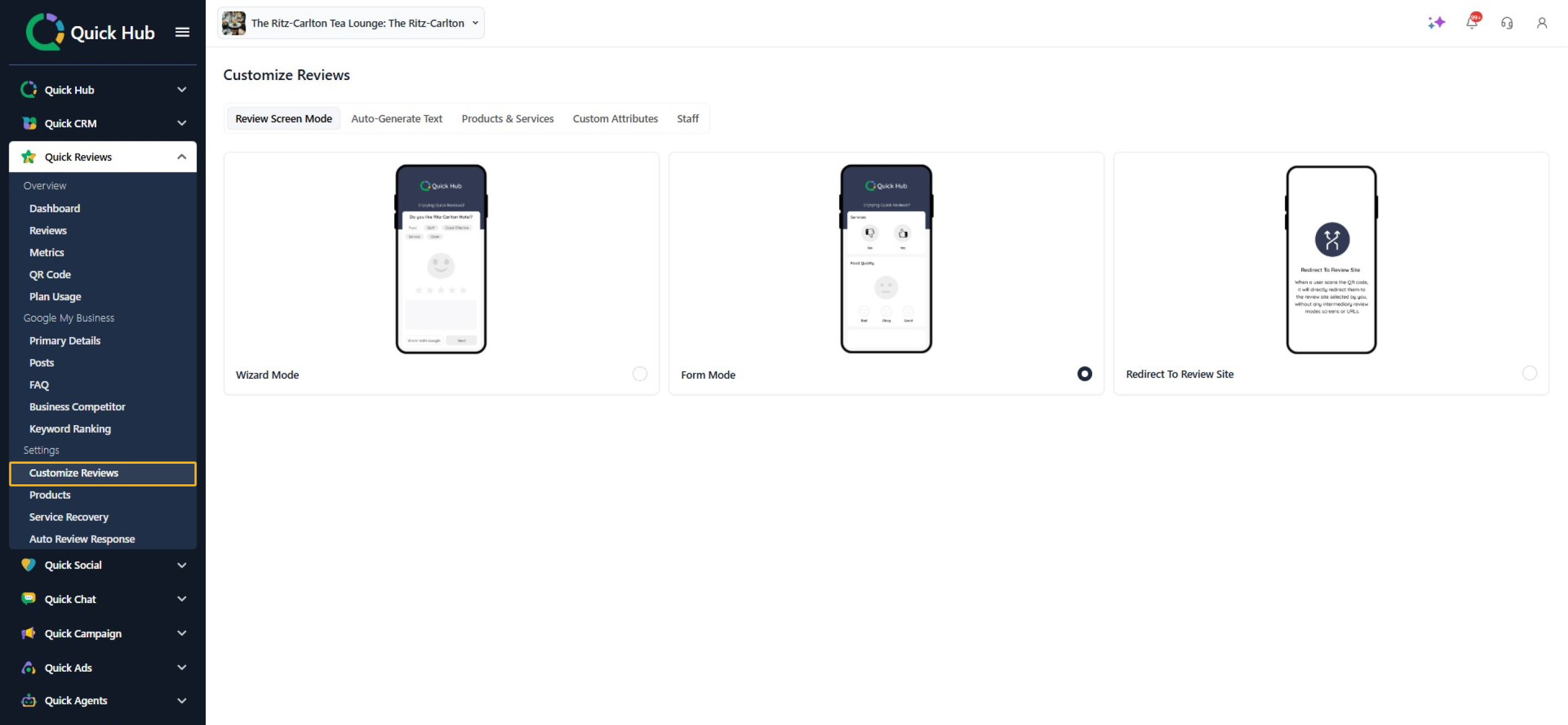
-
Select the review mode as Form Mode.
-
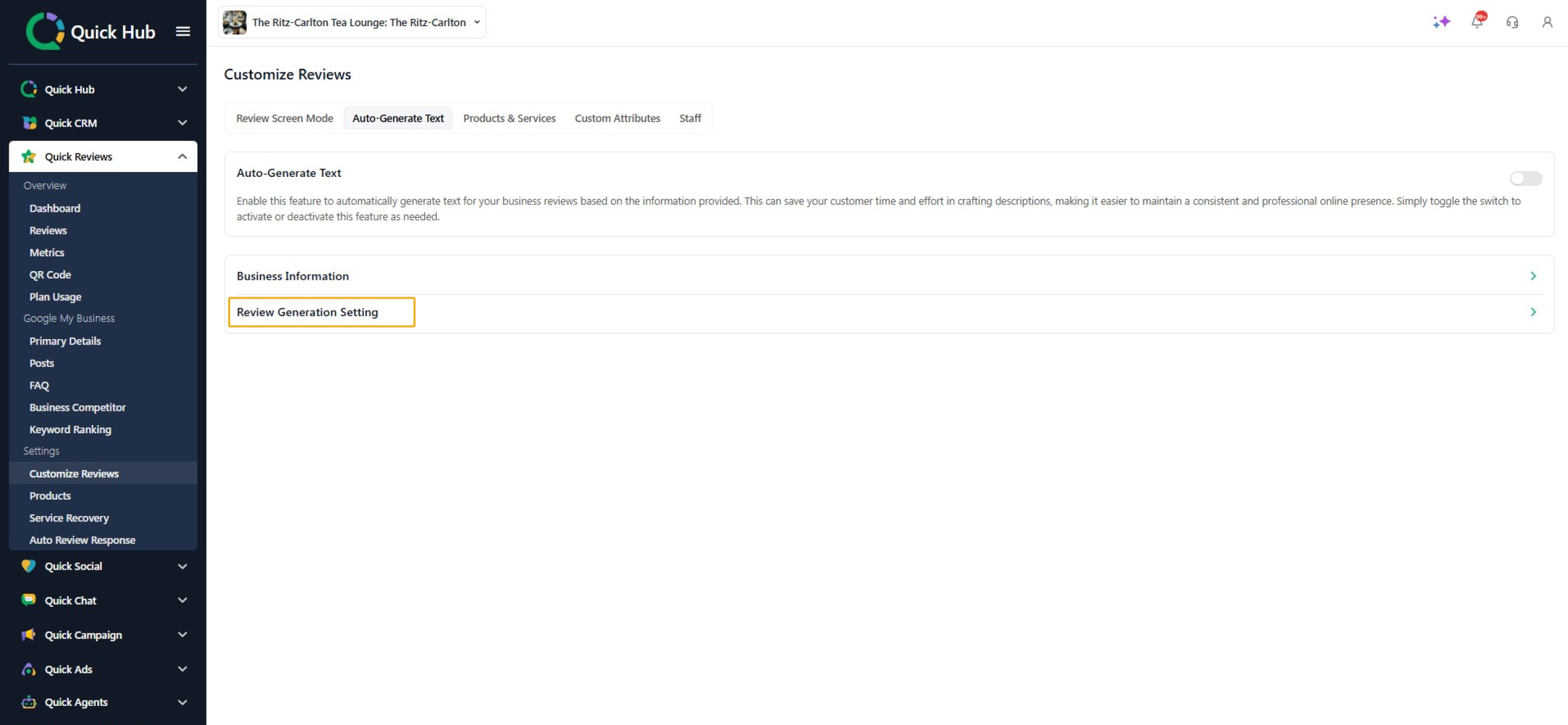
The Auto-generate text option enables you to automatically generate text for your business reviews based on the information provided.
-
To change the review settings, click on Review Generation Setting.
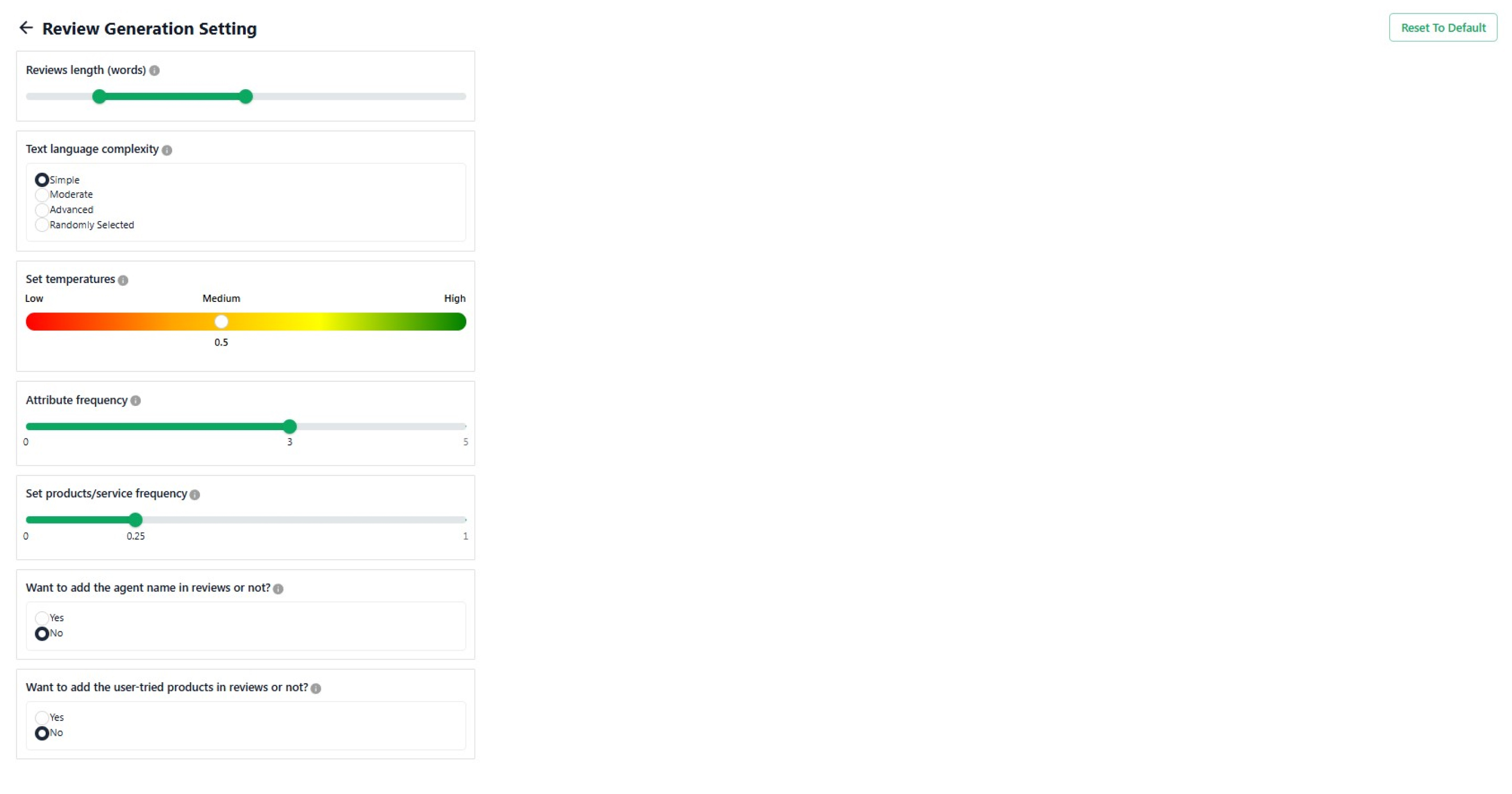
- Here, you can adjust the review length (word count), set the text complexity, add or remove attributes, and choose the product/service frequency.
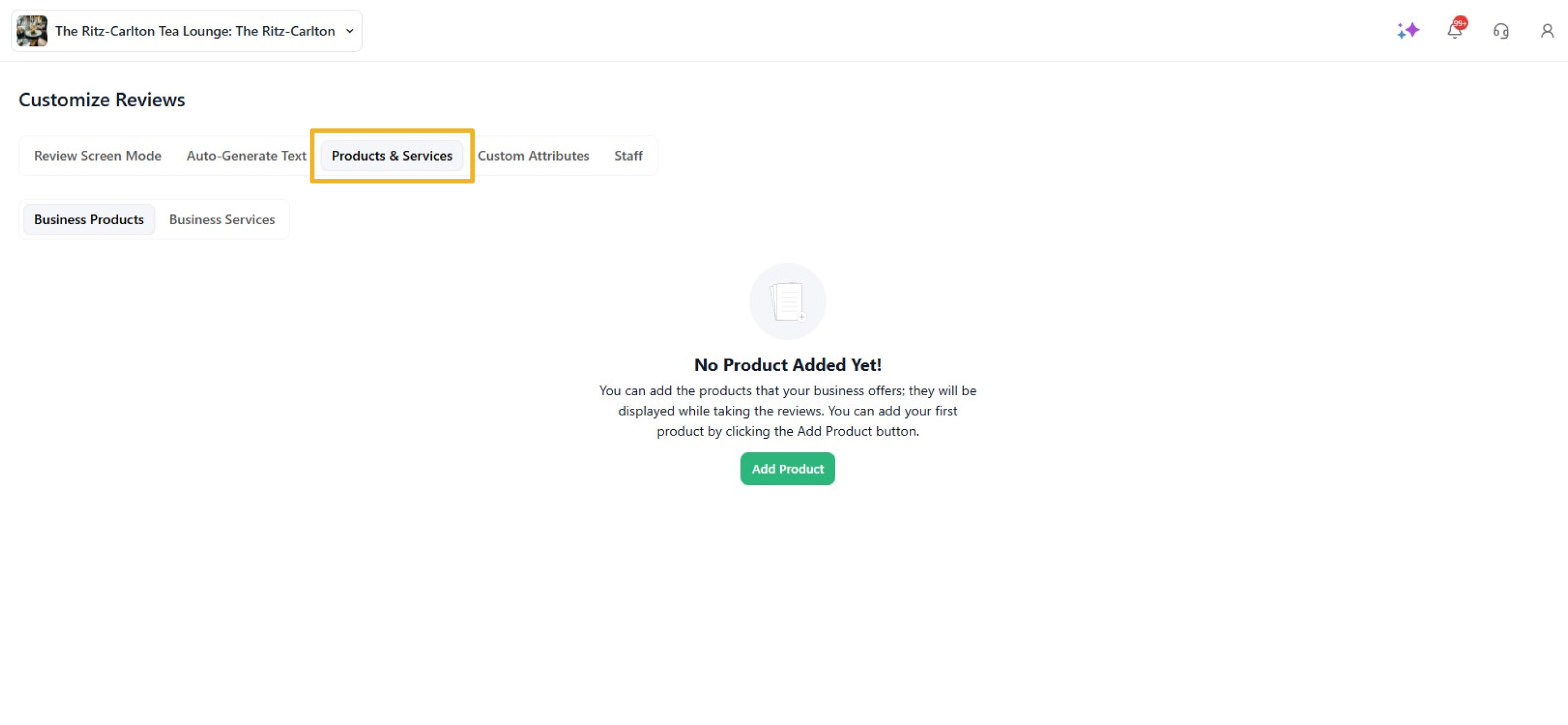
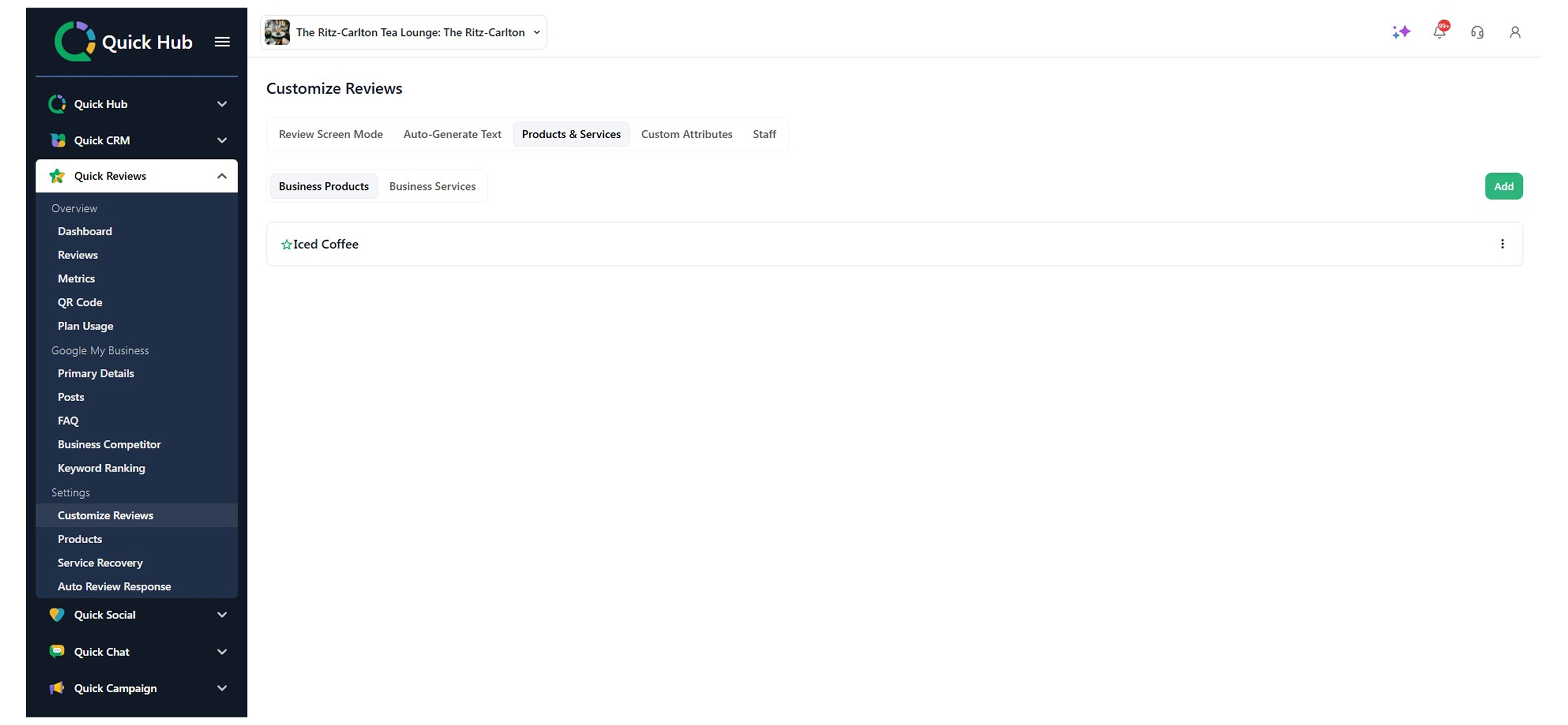
- To add a product or service, click on the Product & Services tab.
-
Click Add.
-
To mark a product as special, click the star, then select Add Product.
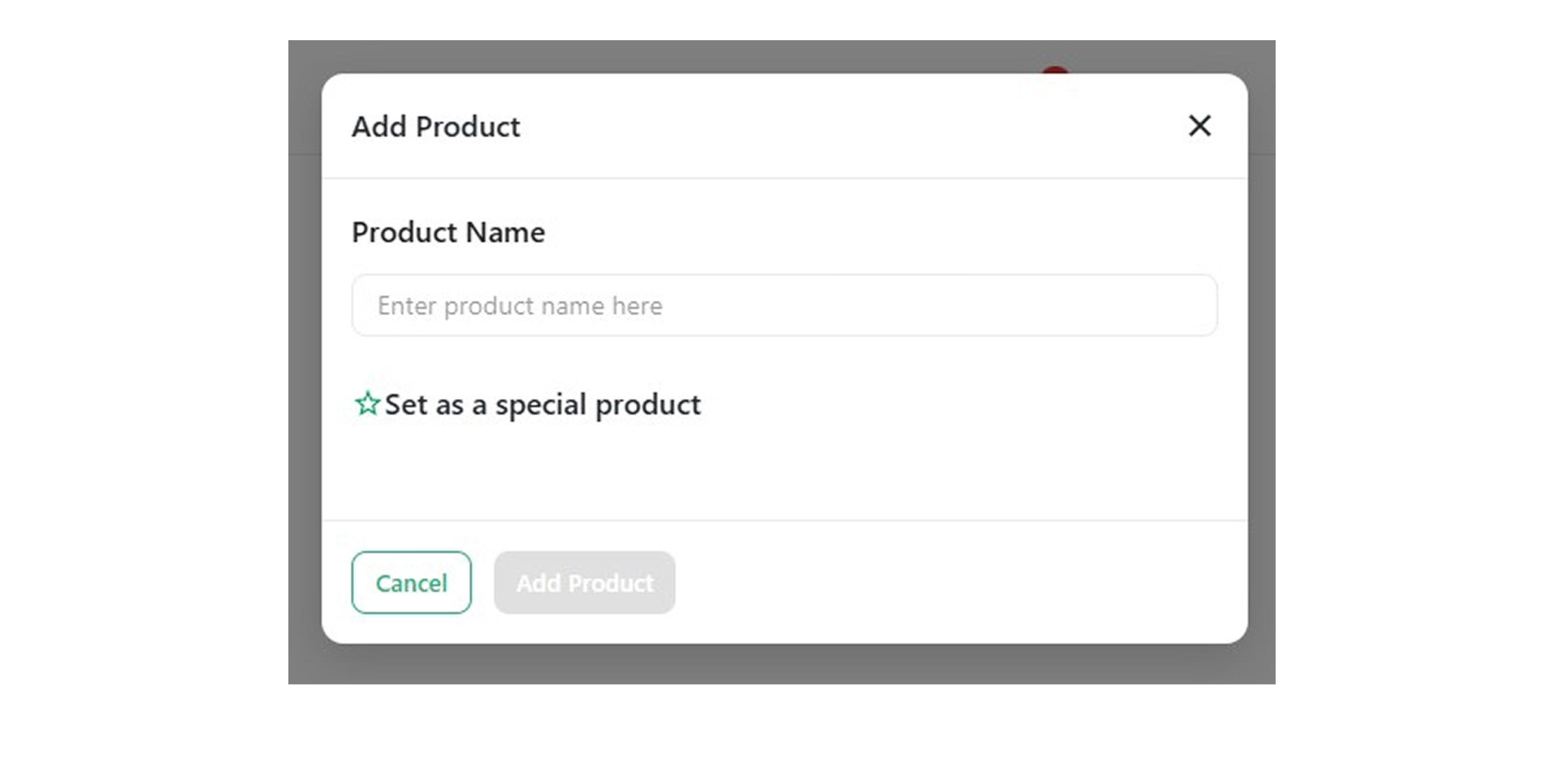
Your product will be added to the list.
With the staff support feature, customers will be prompted to select the name of the staff member they interacted with when leaving a review for your business.
- Go to the Staff tab and click Add Staff to add a new member.
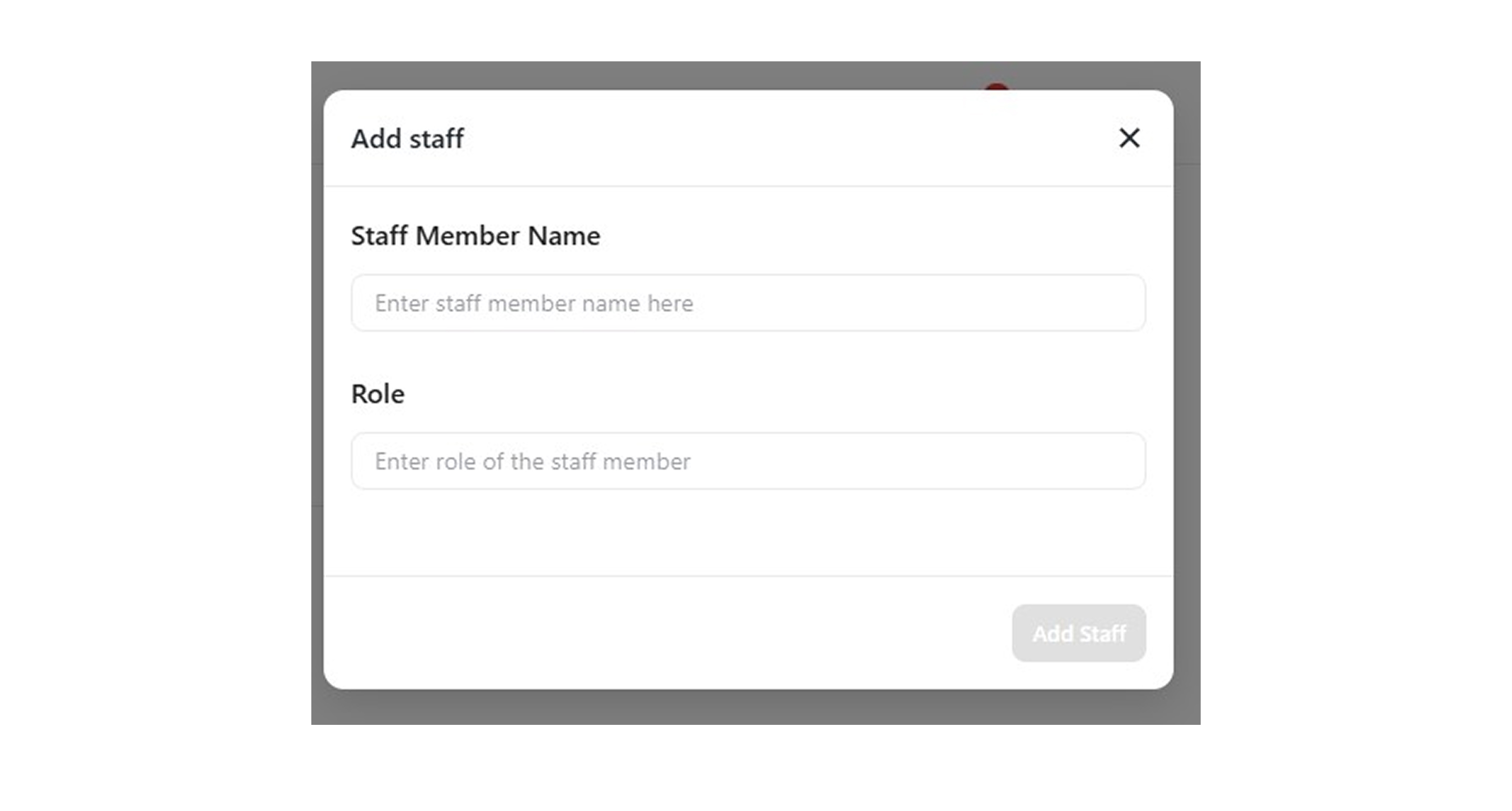
- Click Add Staff.
Congratulations! You have successfully managed products and services, added staff, and customized reviews.