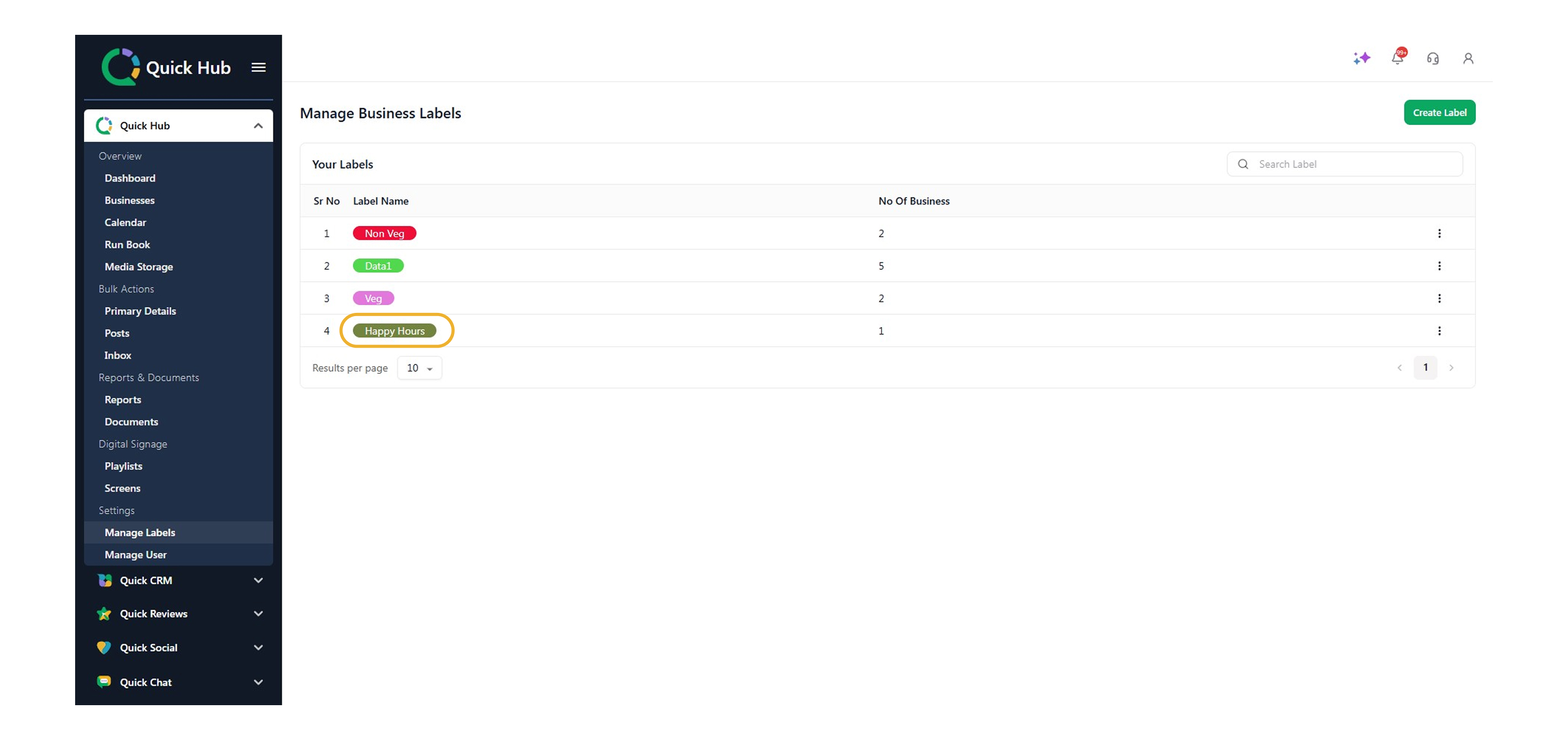
How to Create and Use Labels in Quick Hub
To create labels, follow the steps below:
-
Go to Quick Hub.
-
In the top left corner, click on option 1 (Quick Hub).
-
Under Settings, click Manage Labels.
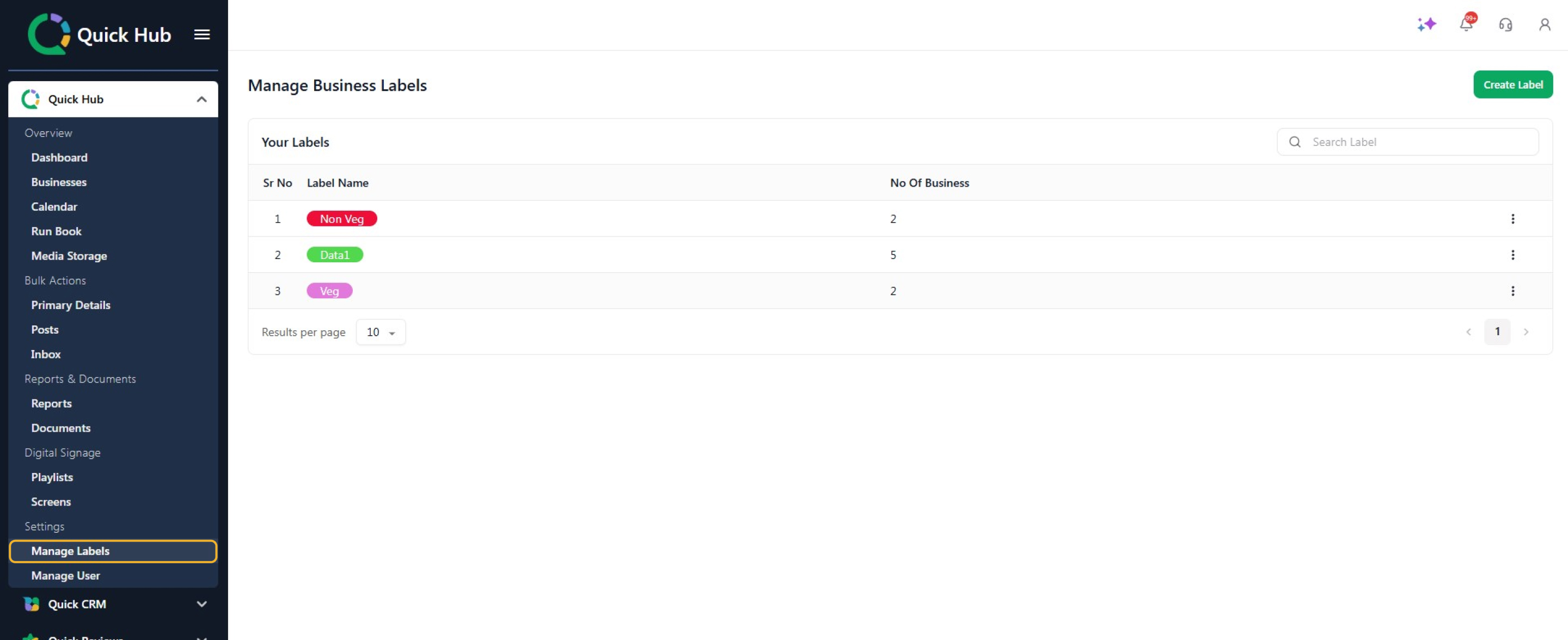
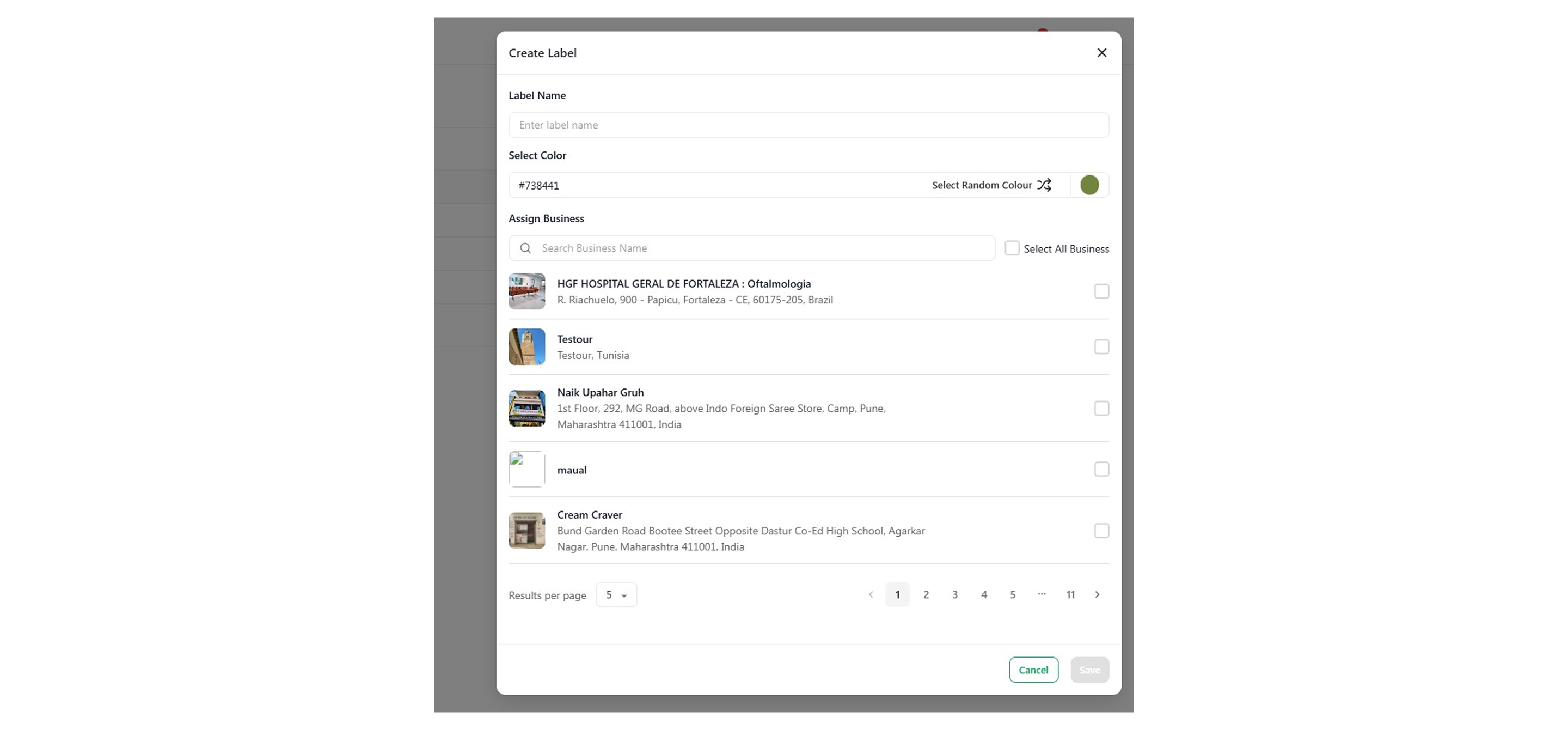
- To add a label, click Create Label.
-
Enter the label name and color, then select the business you want to add the label to.
-
Click Save.
-
Your label has been successfully added to the business.